

InVideo AI Review 2026: Features, Pricing, Pros and Cons
If you want to create videos with AI without learning professional video editing, InVideo AI is one of the platforms worth looking at in 2026.
Unlike AI tools that focus primarily on generating short video clips, InVideo combines AI generation, video editing, stock media, AI models, voice-related features and automated video creation in one workspace.
But is InVideo AI actually worth paying for?
In this InVideo AI review, we look at its main features, pricing, free plan, AI models, strengths, limitations and the types of creators who can benefit most from the platform.
Affiliate disclosure: This article contains an affiliate link. If you purchase InVideo through our link, TecDigi may earn a commission at no additional cost to you.
Table of Contents
Quick Answer: Is InVideo AI Worth It in 2026?
InVideo AI is worth considering if you want an AI-powered platform that can handle more than simple text-to-video generation.
Its main advantage is the combination of AI video creation, editing, generative models, stock media and multiple creative workflows in one platform.
It can be useful for:
- YouTube creators
- Faceless YouTube channels
- Social media creators
- Marketers
- Small businesses
- Freelancers
- Educators
- People who do not have advanced video-editing skills
However, users creating large amounts of highly cinematic generative footage should pay close attention to credit consumption because different AI models and generation settings can consume credits at very different rates.
What Is InVideo AI?

InVideo AI is an AI-powered video creation platform designed to help users create and edit videos using natural-language instructions.
Instead of manually building every scene from scratch, you can describe what you want and let the platform assist with the production process.
The platform has expanded beyond traditional AI video generation and now provides access to a broad collection of AI models and creative capabilities from one workspace.
According to InVideo’s current documentation, its Agents & Models system provides access to more than 200 AI models for video, image and audio generation.
This makes InVideo different from a simple text-to-video generator.
It is better understood as an AI-powered video production workspace.
InVideo AI Features
1. AI Video Creation
The core feature is the ability to create videos using natural-language instructions.
You can describe the video you want and allow InVideo to build a project around your instructions.
Depending on the workflow, this can involve:
- Scripts
- Scenes
- Visuals
- Voiceovers
- Stock media
- AI-generated media
- Music
- Captions
- Editing
This approach is particularly useful for creators who want to reduce the amount of manual work involved in producing a video.
2. AI Agents and Multiple Models

One of the most interesting developments in InVideo is its Agents & Models system.
Instead of relying on one AI video model, InVideo provides access to multiple models from a single workspace.
The company currently states that users can access more than 200 AI models for video, image and audio generation.
This can be useful because different models have different strengths.
For example, one model may be more suitable for realistic video, while another may be better for a particular visual style or motion-heavy sequence.
Instead of subscribing separately to numerous services, creators can use a single platform to access multiple generation options.
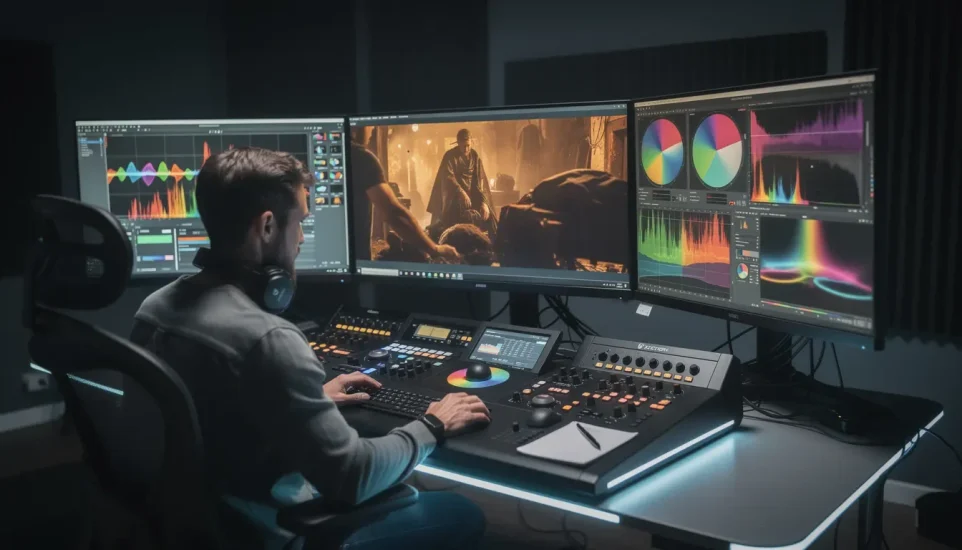
3. AI Video Editing
InVideo is not only about generating new footage.
It also includes a timeline editor and professional editing capabilities.
According to the current pricing information, even the Starter plan includes access to the timeline editor and professional tools such as color, audio and 3D editing features.
This means you can use AI to create a first version and then manually refine the result.
That combination is important.
AI can accelerate production, while traditional editing controls allow you to make the final video more precise.
4. Stock Media
Not every video requires AI-generated footage.
Sometimes traditional stock footage is faster, cheaper or more appropriate.
InVideo combines AI creation with stock media, allowing creators to use stock footage alongside generated content.
This makes the platform particularly useful for:
- Explainer videos
- YouTube videos
- Marketing content
- Educational videos
- Social media videos
- Business presentations
The current plans include different amounts of premium stock footage depending on the subscription level.
5. AI Video Models
InVideo’s current ecosystem includes access to several video-generation models.
The exact models and availability can change over time, and credit costs vary depending on the model, resolution and duration.
InVideo’s documentation explains that different models can have substantially different credit requirements.
This is one of the most important things to understand before subscribing.
A subscription does not mean unlimited high-end AI video generation.
Your available credits determine how much generative content you can produce.
6. AI Agents
Another major feature is InVideo’s AI Agent workflow.
The system can perform multiple actions behind the scenes, including reasoning about a brief, generating images, creating video clips and producing other media.
InVideo currently offers different generation modes, including Lite, Pro and Ultra, with different quality and credit requirements.
This makes the platform more automated than a traditional video editor.
Instead of controlling every individual generation manually, you can provide a larger creative brief and allow the AI workflow to handle multiple steps.
7. Free Plan
One of the biggest advantages for beginners is that InVideo AI can be used without immediately paying.
According to InVideo’s current help documentation, the free plan does not require a credit card and provides limited credits that can be used to explore the platform.
The free quota resets weekly.
The free plan can therefore be useful for understanding the interface and deciding whether the workflow fits your needs before purchasing a subscription.
However, the free plan is not designed for unlimited professional production.
InVideo AI Pricing in 2026

InVideo currently uses a credit-based system.
The exact cost of generation depends on the model, resolution, duration and other settings.
Its current annual pricing page lists three main paid plans:
| Plan | Current annual-billing price | Credits | Best suited for |
|---|---|---|---|
| Starter | $20/month | 400/month | First-time AI creators |
| Plus | $50/month | 2,000/month | Regular creators |
| Max | $100/month | 5,000/month | Higher-volume production |
These prices are based on annual billing and can change as InVideo updates its plans.
The important point is that you should not compare plans based only on the monthly price.
You should also consider:
- Number of credits
- Models available
- Video resolution
- Premium stock access
- AI Agent access
- Storage
- Generation quality
- How often you expect to create videos
How Do InVideo AI Credits Work?
Credits are effectively the currency used for many AI creation tasks on the platform.
The amount consumed depends on what you generate.
For example, InVideo explains that generative models can have different credit costs, and video generation can be priced according to the model, duration, resolution and other parameters.
This means that two videos of the same length may not necessarily cost the same number of credits.
Another important point is that monthly plan credits do not roll over to the next billing period.
If you regularly create AI videos, understanding the credit system is therefore essential before selecting a plan.
Is InVideo AI Free?
Yes, InVideo AI offers a free plan.
The free version lets you explore the platform without entering a credit card and provides a limited weekly credit allowance.
The free plan is useful for:
- Testing the interface
- Learning the workflow
- Creating small experiments
- Exploring AI models
- Understanding how credits work
For frequent production, however, you will likely need more credits and features than the free plan provides.
What Can You Create With InVideo AI?
InVideo AI can be used for many different types of content.
YouTube Videos
You can use it to help produce:
- Tutorials
- Explainer videos
- Educational videos
- List videos
- News-style videos
- Faceless videos
- Promotional videos
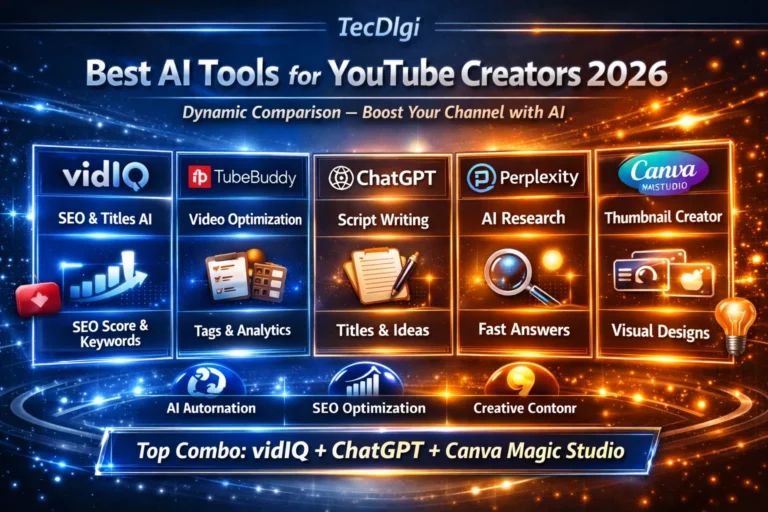
For more YouTube-focused tools, see our guide to the Best AI Tools for YouTube Creators in 2026.
Faceless YouTube Videos

InVideo AI can be particularly interesting for faceless channels.
A typical workflow can involve:
- Creating a script
- Selecting or generating visuals
- Adding narration
- Adding background music
- Creating captions
- Editing the final video
The advantage is that the creator does not need to appear on camera.
However, AI-generated videos still require human review.
You should check:
- Facts
- Pronunciation
- Visual accuracy
- Script quality
- Copyright considerations
- Brand consistency
AI can accelerate production, but it does not remove the need for editorial judgment.
Social Media Videos
InVideo can also be used to create content for social platforms.
Depending on your workflow, you can create:
- Short promotional videos
- Product videos
- Social media advertisements
- Educational clips
- Reels
- Short-form content
If your primary focus is social media marketing, our Best AI Tools for Social Media Marketing in 2026 guide covers additional tools that can complement an AI video workflow.
Marketing and Advertising Videos
InVideo can also be used for marketing content.
This includes:
- Product advertisements
- Promotional videos
- UGC-style content
- Brand videos
- Social media advertisements
- Campaign assets
The platform’s current documentation also describes workflows for AI-generated advertising content and different credit requirements depending on the production type.
For businesses, this can make InVideo useful as part of a broader content-production system.
InVideo AI Pros and Cons
Pros
Easy AI-based workflow
You can describe what you want instead of manually creating every part of the video.
Multiple AI models
Access to many models from one workspace can reduce the need to maintain several separate subscriptions.
Traditional editing tools
You can continue editing the generated result instead of accepting the first AI output.
Free access
The free plan makes it possible to explore the platform before paying.
Suitable for multiple content types
YouTube, social media, marketing, education and business content can all fit within the platform.
Useful for beginners
The platform is designed to reduce the technical barrier to video production.
Cons
Credit usage can become complicated
Different models and generation settings consume different amounts of credits.
High-end generation can be expensive
Advanced generative video can consume credits quickly.
AI output still needs editing
The first generated version may require corrections and creative adjustments.
Plans and credits can change
AI video platforms evolve quickly, so pricing and available models should always be checked before subscribing.
Not every workflow needs AI generation
For some simple projects, a traditional video editor may be faster and more economical.
InVideo AI vs Traditional Video Editing
The biggest difference is automation.
A traditional video editor expects you to assemble the project manually.
An AI video platform can automate parts of the process.
| Task | Traditional workflow | InVideo AI |
|---|---|---|
| Script | Manual | AI-assisted |
| Scene planning | Manual | AI-assisted |
| Visual selection | Manual | AI-assisted |
| Voiceover | Separate workflow | Integrated options |
| Video generation | Separate tools | AI models available |
| Editing | Manual | AI + timeline editing |
| Captions | Manual/automated | AI-assisted |
| Final refinement | Manual | Manual + AI |
The best workflow is not necessarily to replace traditional editing completely.
For many creators, the most practical approach is:
AI for production speed + human editing for quality.
Who Should Use InVideo AI?
InVideo AI makes the most sense for people who value speed and automation.
YouTubers
Useful for producing videos without handling every production step manually.
Faceless creators
Useful when you want to create videos without appearing on camera.
Social media marketers
Useful for producing promotional and short-form content.
Freelancers
Useful when creating video content for multiple clients.
Small businesses
Useful when professional video production would otherwise require additional equipment or personnel.
Beginners
Useful if you want to create videos without learning a complex professional editing application first.
Who Should Not Choose InVideo AI?
InVideo may not be the ideal workflow for everyone.
You may prefer a specialized professional editor if you require extremely detailed control over every frame.
You may also prefer a specialized generative video platform if your primary objective is experimenting with cinematic AI footage rather than creating complete content.
The right choice depends on the type of video you produce and how much automation you want.
Is InVideo AI Worth It in 2026?
InVideo AI is worth considering if your priority is creating complete videos with AI assistance rather than simply generating individual video clips.
Its biggest advantage is the combination of:
- AI generation
- Multiple models
- Editing
- Stock media
- AI agents
- Voice and audio workflows
- Social content creation
The main issue to watch is credit consumption.
Before choosing a paid plan, estimate how many videos you expect to create and which generation models you will actually use.
For occasional users, starting with the free plan is a sensible way to understand the platform.
For regular creators, the paid plans provide substantially more capacity.
InVideo AI Review: Final Thoughts
InVideo AI has evolved from a simple AI-assisted video creation service into a broader AI video production platform.
Its combination of AI models, automated workflows, stock media and traditional editing makes it useful for creators who want to reduce the amount of manual work involved in producing videos.
The platform is particularly interesting for:
- YouTube creators
- Faceless channels
- Social media marketers
- Small businesses
- Freelancers
- Beginners
The main thing to understand before subscribing is the credit system.
If you understand your expected usage and choose a plan accordingly, InVideo AI can become a useful part of an AI content-creation workflow.
For creators who want to explore the platform before committing to a paid subscription, the free plan provides a way to test the workflow without entering a payment card.
FAQ
Is InVideo AI completely free?
InVideo AI offers a free plan with limited credits. The current free quota resets weekly, while paid plans provide larger credit allocations.
Does InVideo AI generate videos from text?
Yes. InVideo supports AI-assisted video creation from natural-language instructions and provides multiple generative models through its platform.
How many AI models does InVideo have?
InVideo currently states that its Agents & Models system provides access to more than 200 AI models for video, image and audio generation.
Do InVideo credits expire?
Monthly plan credits reset with the billing cycle and unused monthly credits do not roll over.
Is InVideo good for YouTube?
It can be useful for YouTube creators who want to automate parts of scripting, visual production, voiceover and editing, particularly for faceless and educational content.
Can InVideo create short-form videos?
Yes. It can be used for social media and short-form video workflows, including promotional and advertising content.
Does InVideo replace a professional video editor?
Not necessarily. InVideo can automate many production tasks, but creators who need frame-by-frame professional control may still prefer a dedicated video editor.
Related TecDigi guides:

One Comment