Best AI Video Generators for YouTube in 2026: 10 Tools Compared
Creating a YouTube video no longer requires a camera, expensive editing software, a recording studio, and hours of manual editing.
AI video tools can now help with scripting, voiceovers, visuals, avatars, editing, captions, B-roll, Shorts and even video repurposing.
But there is one important problem: not every AI video generator is designed for the same YouTube workflow.
Some tools are better for creating complete faceless videos from a prompt. Others are designed for AI avatars, cinematic B-roll, editing existing footage, or turning long videos into Shorts.
That is why the best choice depends on what you actually want to create.
In this guide, we compare the best AI video generators for YouTube in 2026 and explain which type of creator each tool is most suitable for.
Important: This guide compares tools by their features and typical workflows. It does not claim that every tool was personally tested by TecDigi.
Quick Comparison: AI Video Generators for YouTube
| Tool | Best for | Main strength |
|---|---|---|
| InVideo AI | Faceless YouTube videos | Prompt-to-video workflow |
| Runway | AI B-roll | Generative video and creative control |
| HeyGen | AI presenters | Avatars and multilingual video |
| Synthesia | Educational videos | Professional AI presenters |
| Pictory | Faceless content | Script/article-to-video workflows |
| Descript | Video editing | Text-based editing |
| CapCut | YouTube Shorts | Fast AI-assisted editing |
| Canva | Thumbnails + video | Simple creator workflow |
| OpusClip | Repurposing | Long videos into Shorts |
| VEED | Online editing | Browser-based video production |
The important point is that there is no single tool that is perfect for every YouTube workflow.
A creator making cinematic documentaries has different requirements from someone running a faceless Shorts channel.
1. InVideo AI — Best for Prompt-to-Video YouTube Workflows

InVideo AI is designed around a simple idea: give the platform a description of the video you want and let AI help build the project.
This makes it particularly interesting for creators who want to produce faceless YouTube content without spending hours building a timeline manually.
You can use AI-assisted workflows for scripts, scenes, voiceovers, stock footage, captions and editing.
Best for
- Faceless YouTube channels
- Explainer videos
- Educational videos
- List videos
- Tutorials
- Marketing videos
- Beginners
- Creators who want a faster production workflow
The biggest advantage is the amount of work that can be combined into one workflow.
Instead of separately writing a script, searching for footage, recording a voiceover and assembling the video, an AI-assisted platform can help connect these steps.
However, you should still review the result carefully.
AI-generated scripts can sound generic, visual selections can be imperfect, and the final video needs a human creative direction if you want to build a recognizable YouTube channel.
Who should consider InVideo AI?
It can be particularly useful if your goal is to create videos from a written idea rather than manually edit every scene.
For example:
Topic → script → voice → visuals → captions → editing → export
That workflow can significantly reduce the amount of manual production required.
For creators interested in this workflow, see our complete InVideo AI review.
2. Runway — Best for AI-Generated B-Roll and Creative Visuals

Runway is aimed more at creators who want greater control over AI-generated visuals.
Rather than simply turning an article into a finished YouTube video, Runway is useful when you need original scenes, cinematic shots, visual effects or AI-generated B-roll.
This makes it interesting for:
- Documentary channels
- Storytelling channels
- Cinematic YouTube videos
- Creative channels
- Product videos
- AI-generated visual sequences
- B-roll production
For example, a creator could write a documentary about a historical subject and use AI-generated scenes to visually support parts of the narration.
The important distinction is that Runway is more of a creative visual generation tool than a complete automated YouTube publishing system.
You may still need another application for scripting, voiceover, editing or final packaging.
3. HeyGen — Best for AI Presenter Videos
Some YouTube creators do not want to appear on camera.
Others want to create educational or business videos without recording themselves for every episode.
This is where AI avatar platforms such as HeyGen can be useful.
HeyGen focuses heavily on AI presenters, avatars and multilingual video creation.
This can work particularly well for:
- Educational channels
- Business channels
- Tutorials
- Software demonstrations
- Training content
- International YouTube channels
- Presenter-style videos
The advantage is consistency.
Instead of setting up a camera, microphone and lighting every time, a creator can use an AI presenter workflow.
However, this format is not necessarily suitable for every channel.
A personality-driven YouTube channel may benefit from the authenticity of a real creator appearing on camera.
For informational content, tutorials and certain business channels, an AI presenter can be more practical.
Current competitor research also shows that HeyGen is positioning its platform around A-roll, B-roll, faceless content and multilingual creation.
4. Synthesia — Best for Educational and Professional YouTube Videos
Synthesia is another AI avatar platform that can be useful for creators who want a presenter without filming themselves.
Its strongest use cases tend to be structured informational content.
Examples include:
- Tutorials
- Educational videos
- Software training
- Business explainers
- Professional presentations
- How-to content
If your channel is essentially a visual learning platform, an AI presenter can provide consistency between videos.
The trade-off is similar to other avatar-based tools: the presentation style can feel less personal than a real creator.
For channels built around personality, humor or personal storytelling, traditional filming may still make more sense.
5. Pictory — Useful for Faceless YouTube Content
Pictory focuses on transforming written content and existing material into videos.
That makes it interesting for creators who already have:
- Blog articles
- Scripts
- Long-form content
- Recorded material
- Educational content
A typical workflow might look like:
Article → script → visuals → voiceover → captions → YouTube video
This can be useful for websites that want to expand their written content into video.
For example, a technology website could transform an article about AI tools into a YouTube explainer.
However, simply converting every article into an almost identical video is not enough to build a strong YouTube channel.
The video still needs its own structure, narrative and viewer value.
6. Descript — Best for Editing Videos With AI Assistance
Descript approaches video production differently.
Instead of focusing primarily on generating a complete video from a prompt, it combines video editing with text-based editing.
This can be particularly useful for creators who record:
- Podcasts
- Interviews
- Tutorials
- Screen recordings
- Talking-head videos
- Educational content
One of its useful concepts is that the transcript becomes part of the editing workflow.
For example, if you remove a sentence from the transcript, the corresponding part of the video can also be removed.
This can make editing spoken content much faster.
For YouTubers who already record themselves, this type of AI-assisted editing may be more useful than a fully automated video generator.
7. CapCut — Best for YouTube Shorts and Fast Editing
CapCut is particularly relevant to YouTube creators producing short-form content.
YouTube Shorts require a different workflow from long-form videos.
You generally need:
- Vertical video
- Fast pacing
- Captions
- Strong opening
- Short scenes
- Visual changes
- Mobile-friendly presentation
CapCut’s AI-assisted editing features can help speed up these tasks.
It is particularly useful for creators who want to create short videos quickly or adapt existing material into social-first content.
For example:
Long video → interesting moment → vertical crop → captions → music/effects → Short
That workflow can be much faster than manually rebuilding the entire video.
For long-form cinematic YouTube production, however, you may want a more advanced editing environment.
8. Canva — Useful for YouTube Packaging and Simple Video Creation
Canva is not primarily a dedicated AI video generator.
However, it remains useful in a YouTube workflow because video production does not stop when the video is rendered.
Creators also need:
- Thumbnails
- Channel banners
- Intro graphics
- End screens
- Social graphics
- Titles
- Brand assets
A YouTube channel can therefore use Canva alongside an AI video generator.
For example:
AI video generator → final video
plus
Canva → thumbnail + channel graphics
This distinction is important.
The software that generates your video does not necessarily need to be the same software you use to design your thumbnail.
And for YouTube, packaging remains an important part of how viewers discover videos.
9. OpusClip — Best for Turning Long Videos Into Shorts
If you already have long-form videos, podcasts or interviews, creating Shorts manually can take a lot of time.
OpusClip is designed around repurposing longer videos into shorter clips.
This makes it useful for:
- Podcasts
- Interviews
- Webinars
- Long YouTube videos
- Educational content
- Video creators
- Businesses
A typical workflow is:
Long video → AI identifies clips → vertical format → captions → Shorts
This is very different from an AI generator that creates a video from scratch.
If you already have a large video library, repurposing may produce more value than generating completely new videos.
10. VEED — Best for Browser-Based AI Video Workflows
VEED combines online video editing with AI-assisted features.
Because it works in the browser, it can be convenient for creators who do not want to install complicated desktop software.
It can be useful for:
- YouTube videos
- Social videos
- Captions
- Screen recordings
- Simple editing
- Marketing videos
- Online content production
The main advantage of browser-based tools is accessibility.
You can move between devices and work without maintaining a large desktop editing setup.
For beginners and creators who prioritize convenience, that can be valuable.
Which AI Video Generator Should You Use for YouTube?
Instead of choosing a tool based only on its feature list, start with the type of video you want to publish.
For Faceless YouTube Videos
Look at tools such as:
- InVideo AI
- Pictory
- Fliki
- HeyGen
These platforms can help reduce the amount of filming required.
The important part is still the script.
A technically impressive video with a weak story will not automatically become a good YouTube video.
For YouTube Shorts
Short-form creators should look at:
- CapCut
- OpusClip
- VEED
The workflow should prioritize speed, captions, vertical formatting and strong openings.
If you already have long videos, repurposing them can be more efficient than generating completely new Shorts.
For AI-Generated B-Roll
For creators who want original visual sequences, tools such as Runway are worth investigating.
This workflow is especially useful for:
- Documentaries
- Storytelling
- Technology videos
- Cinematic content
- Product demonstrations
- Creative channels
AI-generated B-roll can supplement traditional footage rather than replacing the entire video.
For AI Avatar YouTube Channels
If you want a presenter without recording yourself, consider:
- HeyGen
- Synthesia
These tools can be useful for educational and professional content.
However, the presentation needs to feel natural.
Using the same avatar, same script structure and same visual template for hundreds of videos can make a channel feel repetitive.
For Existing YouTube Videos
If you already have videos, podcasts or interviews, consider:
- Descript
- OpusClip
- CapCut
In this situation, the goal is not necessarily to generate something from zero.
Instead, AI can help you extract more content from material you already created.
AI Video Generators and YouTube Monetization
Using AI does not automatically prevent a YouTube channel from being monetized.
The bigger issue is whether the content provides meaningful original value.
YouTube’s monetization policy states that repetitive or mass-produced content with little variation or limited educational, commentary or creative value may not qualify for monetization.
That means creators should avoid building a channel around a simple formula such as:
AI script → AI voice → stock footage → upload → repeat
with very little original contribution.
A stronger workflow is:
Research → original angle → human-edited script → AI assistance → meaningful editing → original commentary → useful final video
AI can accelerate production, but it should not replace the creative direction of the channel.
Do You Need to Disclose AI-Generated Videos on YouTube?
Sometimes.
YouTube requires creators to disclose AI-generated or meaningfully altered content when it appears realistic and could cause viewers to believe that something actually happened when it did not.
Examples include realistic AI-generated scenes, altered footage of real events and realistic representations of real people doing or saying things they did not actually do.
On the other hand, YouTube’s examples indicate that many forms of production assistance—such as using AI to help with an outline, script, thumbnail, title, captions or certain audio repairs—do not by themselves require the same disclosure.
Creators should therefore consider the actual content and how realistic the AI alteration is rather than assuming that every use of AI requires a disclosure.
How to Build a YouTube Workflow With AI
You do not necessarily need one application for everything.
A practical workflow could look like this:
Step 1: Research the topic
Find a topic that has a clear audience and a reason to watch.
Step 2: Create the structure
Build:
- Hook
- Introduction
- Main sections
- Examples
- Conclusion
- Call to action
Step 3: Write and edit the script
Use AI for brainstorming and drafting, but verify facts and add your own angle.
Step 4: Create the video
Use an AI video generator such as InVideo AI, or combine several specialized tools.
Step 5: Add original visual elements
Use B-roll, screenshots, diagrams, demonstrations or other visuals that actually support the story.
Step 6: Edit
Remove unnecessary sections, improve pacing and make sure the audio is clear.
Step 7: Create the thumbnail
Use a dedicated design tool such as Canva if necessary.
Step 8: Optimize the YouTube packaging
Your title and thumbnail should accurately communicate what the viewer will get.
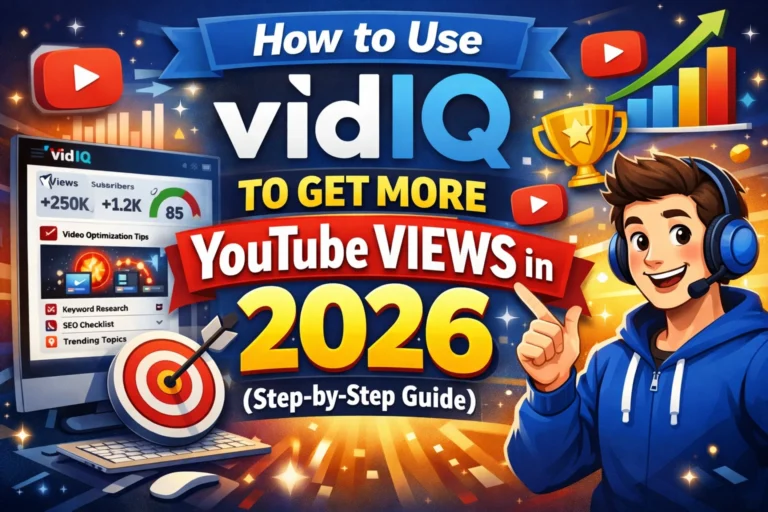
For creators focused on YouTube SEO and channel optimization, our guides to VidIQ and VidIQ vs TubeBuddy can help with the next part of the workflow.
A Simple AI YouTube Stack

You don’t need ten AI tools.
A small stack can be enough.
Faceless channel
InVideo AI + VidIQ + Canva
Use AI to create the video, VidIQ for YouTube research and optimization, and Canva for thumbnails and channel graphics.
Educational channel
HeyGen or Synthesia + Canva + VidIQ
Use an AI presenter for structured videos and separate tools for packaging and optimization.
Podcast channel
Descript + OpusClip + Canva
Edit the original recording, extract Shorts and create consistent thumbnails.
Cinematic channel
Runway + professional video editor + Canva
Generate visual sequences while keeping more control over the final edit.
What Makes an AI YouTube Video Actually Good?
The tool is only one part of the equation.
A strong YouTube video still needs:
- A clear topic
- A strong opening
- Useful information
- Good storytelling
- Appropriate visuals
- Good audio
- Strong pacing
- An attractive but accurate thumbnail
- A useful title
- Original value
AI can make many of these steps faster.
It cannot guarantee that viewers will care.
That is why choosing a tool based on your production workflow is more useful than choosing one simply because it claims to be the most advanced AI video generator.
Final Takeaway
The best AI video generator for YouTube depends on what you are trying to produce.
InVideo AI is particularly useful for creators who want a prompt-to-video workflow.
Runway is better suited to creators looking for AI-generated visual sequences and B-roll.
HeyGen and Synthesia are useful for presenter-based videos.
Pictory can help with faceless and text-to-video workflows.
Descript is useful when editing recorded content.
CapCut and OpusClip are particularly relevant to Shorts and repurposing.
Canva remains useful for thumbnails and channel branding.
VEED offers a convenient browser-based production workflow.
The important lesson is simple: don’t choose an AI video generator because it has the longest feature list. Choose it according to the type of YouTube content you want to publish.
If you’re just getting started, begin with one workflow, produce several videos, analyze what takes the most time, and then add another tool only when it solves a real production problem.
For a broader comparison of AI video platforms, see our guide to the best AI video generators in 2026.
And if you’re specifically looking for free options, check our comparison of the best free AI video generators in 2026.