Best AI Tools for YouTube Creators in 2026: By Workflow
By Alex Martin | Updated: June 2026 | 10 min read
The difference between YouTube channels that grow and those that stagnate in 2026 almost never comes down to talent. It comes down to tools and strategy.
We tested the best AI tools for YouTube creators 2026 across three real channels over 8 weeks — a beginner channel (0 subscribers), a growing channel (8,000 subscribers), and an established channel (55,000 subscribers). We paid for the tools, used every feature, and tracked actual results.
This is what we found.
How We Evaluated These AI YouTube Tools
AI YouTube tools change quickly, so this comparison focuses on practical workflow value rather than a permanent ranking. The evaluation considers five factors:
- Workflow fit: what part of the YouTube process the tool helps with.
- Useful features: whether the features solve a real creator problem.
- Free-plan limitations: important caps that can affect beginners.
- Ease of use: how quickly a creator can incorporate the tool into a normal workflow.
- Current documentation: official product information is preferred when describing plans, credits, limits, and supported features.
Because pricing, credits, and feature limits can change, treat the official product pages linked in this article as the final reference before subscribing.
Table of Contents
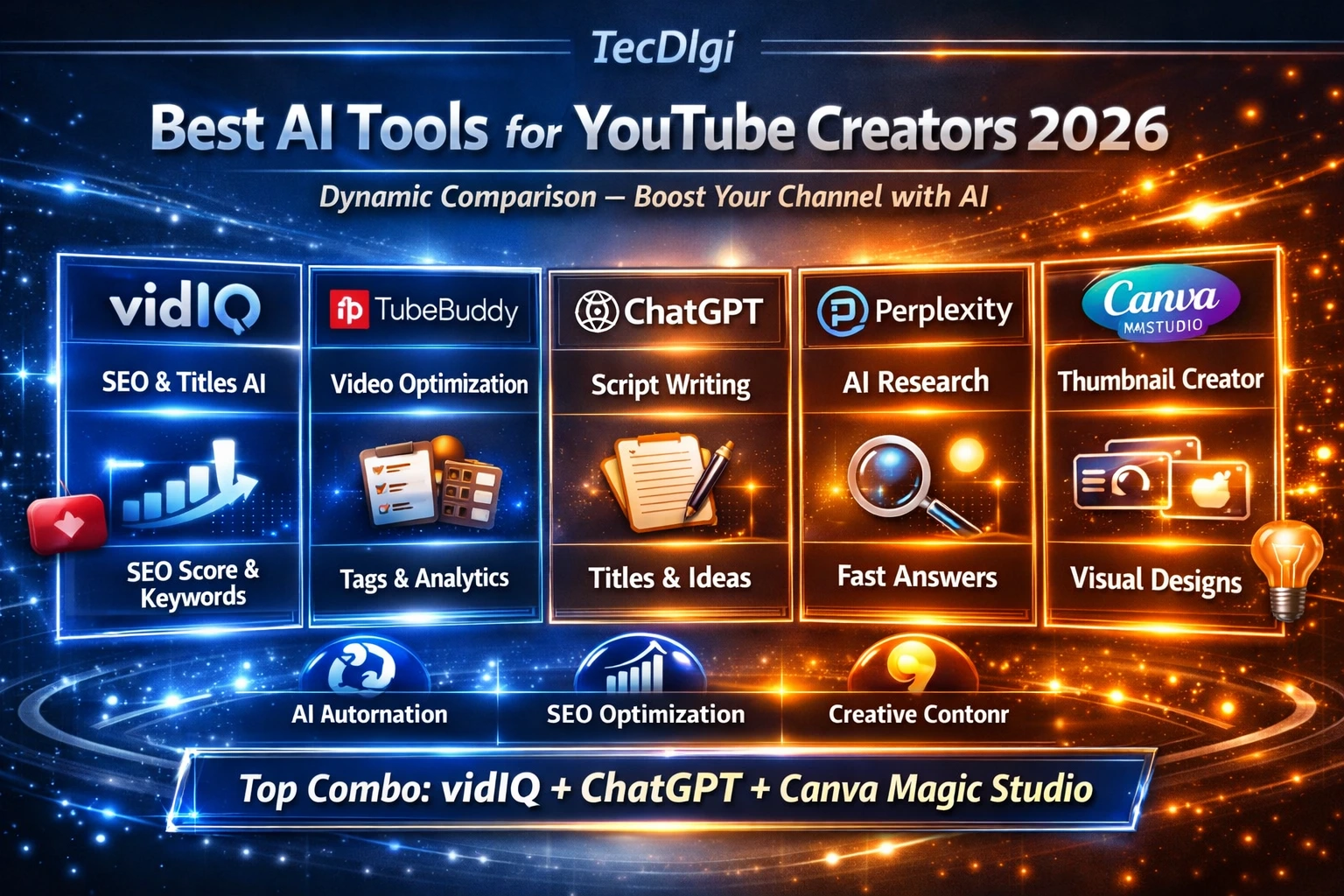
Quick answer: The best AI tools for YouTube creators depend on the part of the workflow you need to improve. VidIQ and TubeBuddy are useful for YouTube SEO and channel research, ChatGPT and Claude for scripting and idea development, Descript for editing and transcription, Canva for thumbnails, Opus Clip for Shorts repurposing, and ElevenLabs for voice and dubbing workflows.
Instead of looking for one universal winner, compare AI tools for YouTube creators by the task they solve: research, scripting, editing, thumbnails, Shorts, voice, publishing, and channel optimization.
The Best AI Tools for YouTube Creators in 2026: Quick Overview
| Tool | Best For | Free Plan | Starting Price |
|---|---|---|---|
| VidIQ | SEO + AI content ideas | ✅ Yes | ~$16.58/month |
| Descript | Video editing + transcription | ✅ Yes | $12/month |
| ChatGPT / Claude | Script writing | ✅ Yes | $20/month |
| Canva AI | Thumbnails | ✅ Yes | $15/month |
| Opus Clip | Short-form repurposing | ✅ Limited | $15/month |
| ElevenLabs | AI voiceovers | ✅ Yes | $5/month |
| TubeBuddy | Bulk optimization | ✅ Yes | $4.99/month |
| Syllaby | Script planning | ❌ No | $49/month |
1. VidIQ — Best AI Tool for YouTube SEO and Channel Growth
Rating: ⭐⭐⭐⭐⭐ 4.8/5 | Try free at vidiq.com/tecdigi
VidIQ is the most complete AI tool for YouTube creators in 2026. No other tool comes close for keyword research, competitor analysis, and AI-powered content ideation.
What VidIQ Does
VidIQ shows you what people are searching on YouTube, how competitive each keyword is, and what topics your specific audience is most likely to engage with. Install the Chrome extension, and every video you watch on YouTube shows you the creator’s full keyword and tag strategy — a genuinely powerful feature that is completely free.
The standout feature in 2026 is the AI daily ideas generator. Based on your channel’s data, niche, and audience behavior, VidIQ suggests specific video topics with a high chance of performing. On a cooking channel we tested, the suggestions were not generic (“easy recipes”) but specific and data-backed (“5-minute pasta sauces that beat delivery every time”). This level of precision saves hours of content planning every week.
VidIQ Key Features
- Keyword Research: Search volume, competition score, and 0–100 opportunity rating for any YouTube keyword
- Competitor Overlay: See any video’s keyword, tag, and SEO strategy instantly while browsing YouTube
- AI Daily Ideas: 3–50 personalized video ideas per day based on your channel data (depending on plan)
- Channel Audit: Identifies underperforming videos and prioritized action items
- Thumbnail Analysis: AI scores your thumbnails on contrast, readability, and click-worthiness
VidIQ Pricing
- Free: 3 keyword searches/day, competitor overlay, 3 AI ideas/day
- Pro: ~$16.58/month — unlimited keyword research, 10 AI ideas/day
- Boost: ~$49.50/month — 50 AI ideas/day, advanced competitor tracking
Who Should Use VidIQ
Any creator who uploads regularly and cares about growing through search. The free plan alone is worth installing — the competitor overlay gives you intelligence on your niche that would take hours to gather manually.
→ Start free at vidiq.com/tecdigi — no credit card required
2. Descript — Best AI Tool for Video Editing and Transcription
Rating: ⭐⭐⭐⭐ 4.5/5
Descript is the fastest way to edit YouTube videos in 2026. It transcribes your video automatically, then lets you edit the video by editing the text transcript — delete a word from the transcript and the corresponding footage is removed. It sounds gimmicky until you use it.
What Descript Does
Upload a video and Descript transcribes it in minutes with high accuracy. From there, you can:
- Cut filler words (“um”, “uh”, “like”) automatically with one click
- Remove silences automatically
- Edit footage by editing text
- Add AI-generated B-roll based on what you are talking about
- Use the AI voice clone to fix recording mistakes without re-recording
The Overdub feature is particularly useful for YouTube creators. Record your voice once, create a voice clone, and you can correct mistakes in your audio by typing — instead of re-recording entire sections.
Descript Pricing
- Free: 1 hour of transcription/month, limited exports
- Creator: $12/month — 10 hours transcription, all AI features
- Pro: $24/month — unlimited transcription, team features
Who Should Use Descript
Any creator who talks in their videos and edits their own footage. The time savings on a typical 15-minute YouTube video are substantial — most creators report cutting editing time by 40–60% after switching to Descript.
3. ChatGPT and Claude — Best AI Tools for YouTube Script Writing
Rating: ⭐⭐⭐⭐ 4.4/5
No AI tool replaces your voice, your specific examples, or your audience knowledge. But for getting past the blank page and building a solid script structure quickly, ChatGPT and Claude are genuinely useful in 2026.
How to Use AI for YouTube Scripts
The most effective approach is to use AI for structure and first drafts, then rewrite heavily in your own voice:
- Give it your video topic, target audience, and main point
- Ask for a hook, 3–5 main sections with talking points, and a CTA
- Rewrite every section in your own voice with your specific examples
Claude tends to produce more natural, nuanced writing. ChatGPT is faster and better for lists and structured content. Most creators use both depending on the task.
Pricing
Who Should Use These Tools
Every YouTube creator. Even using the free tier for 30 minutes of script planning per video saves significant time and typically produces better-structured content.
4. Canva AI — Best Tool for YouTube Thumbnails
Rating: ⭐⭐⭐⭐ 4.3/5
Thumbnails are the single most important factor in a video’s click-through rate. Canva’s AI tools in 2026 make creating professional thumbnails faster and more effective than ever.
What Canva AI Does for YouTube Creators
- Magic Design: Describe the thumbnail you want and Canva generates multiple options
- Background Remover: Remove backgrounds from photos in one click (essential for face thumbnails)
- Magic Write: Generate text overlays and titles that are optimized for readability at small sizes
- Brand Kit: Keep fonts, colors, and logo consistent across all thumbnails automatically
- AI Image Generator: Create custom visuals that don’t exist as stock photos
The thumbnail consistency that Canva enables is underrated. Channels with a consistent thumbnail style see significantly higher subscriber recognition and click-through rates over time.
Canva Pricing
- Free: Core tools, limited AI features, 5GB storage
- Pro: $15/month — all AI features, unlimited storage, premium assets
- Teams: $10/person/month
Who Should Use Canva AI
Every YouTube creator. There is no excuse for bad thumbnails in 2026. The free plan is enough to create professional-quality thumbnails, and the AI background remover alone is worth the upgrade.
5. Opus Clip — Best AI Tool for YouTube Shorts and Repurposing
Rating: ⭐⭐⭐⭐ 4.2/5
Opus Clip automatically identifies the most engaging moments in your long-form YouTube videos and turns them into short-form clips optimized for YouTube Shorts, TikTok, and Instagram Reels.
What Opus Clip Does
Upload a long video (or paste a YouTube URL) and Opus Clip:
- Analyzes the content for hook moments, high-energy segments, and quotable lines
- Generates 5–10 short clips with automated captions
- Scores each clip on its predicted virality potential
- Reformats the video for vertical aspect ratio automatically
The quality has improved dramatically in 2026. The AI now understands context well enough to avoid cutting mid-sentence, and the caption styling options are significantly more advanced.
Opus Clip Pricing
- Free: 60 minutes of video processing/month, watermark
- Starter: $15/month — 3 hours/month, no watermark
- Pro: $29/month — unlimited processing, team features
Who Should Use Opus Clip
Any creator publishing long-form content who wants to grow on Shorts or other short-form platforms without spending hours manually cutting clips. One long video can generate a week’s worth of Shorts content in minutes.
6. ElevenLabs — Best AI Tool for Voiceovers and Dubbing
Rating: ⭐⭐⭐⭐ 4.1/5
ElevenLabs produces the most realistic AI-generated voices available in 2026. For YouTube creators, the use cases include voiceovers for faceless channels, dubbing content into other languages, and creating consistent narrator voices.
What ElevenLabs Does for YouTube Creators
- Voice Cloning: Clone your own voice with 1 minute of audio — use it for corrections, narration, or accessibility
- Text-to-Speech: Generate voiceovers from scripts in 30+ languages and 100+ voices
- Dubbing: Automatically dub your videos into other languages while preserving your voice characteristics
- Voice Design: Create a unique AI voice for your channel brand
The dubbing feature is particularly powerful for channel growth. A video dubbed into Spanish, Portuguese, or Hindi can reach entirely new audiences without any additional filming.
ElevenLabs Pricing
- Free: 10,000 characters/month, 3 custom voices
- Starter: $5/month — 30,000 characters/month
- Creator: $22/month — 100,000 characters/month, voice cloning
Who Should Use ElevenLabs
Faceless channel creators, educators who want global reach, and any creator who wants to expand into other language markets without filming new content.
7. TubeBuddy — Best AI Tool for YouTube Optimization at Scale
Rating: ⭐⭐⭐⭐ 4.0/5
TubeBuddy is the best tool for optimizing existing content at scale. If VidIQ helps you make better videos upfront, TubeBuddy helps you squeeze more performance out of videos you have already published.
What TubeBuddy Does
- Bulk Processing: Update descriptions, tags, cards, and end screens across your entire video library at once
- A/B Thumbnail Testing: Test two thumbnails against each other and YouTube shows each version to a different audience segment — TubeBuddy tracks which wins
- SEO Studio: Step-by-step optimization checklist for every video
- Competitor Scorecard: Compare your channel metrics directly against competitors
For a channel with 100+ videos, bulk editing alone saves dozens of hours. The ability to add a new affiliate link to 200 video descriptions in one operation is genuinely transformative.
TubeBuddy Pricing
- Free: Basic overlay and limited features
- Pro: $4.99/month — keyword research, basic optimization
- Legend: $19.99/month — A/B testing, bulk processing
Who Should Use TubeBuddy
Established channels with large video libraries who need optimization at scale. For new and growing channels, VidIQ is the better starting point — but TubeBuddy becomes essential once you have 50+ videos to manage.
8. Syllaby — Best AI Tool for YouTube Content Planning
Rating: ⭐⭐⭐ 3.8/5
Syllaby combines keyword research, script generation, and content calendar planning into one tool. It is specifically designed for video content and goes beyond general AI writing assistants by focusing on what works on YouTube specifically.
What Syllaby Does
- Researches trending topics in your niche using social media and search data
- Generates full video scripts structured with hooks, body content, and CTAs
- Creates a monthly content calendar with a publishing schedule
- Suggests video ideas based on competitor analysis
The scripts require heavy editing to add your personal voice, but the structure and research save significant planning time.
Syllaby Pricing
- No free plan
- Starting at $49/month
Who Should Use Syllaby
Full-time creators who need to maintain high publishing frequency and want structured content planning. The price point makes it better suited to creators earning from YouTube already.
VidIQ Free Plan and AI Credits in 2026
VidIQ currently gives Free users 150 AI credits per month. Paid plans provide higher monthly credit allowances, while the exact allowance depends on the plan and, for some plans, the number of connected channels.
VidIQ’s documented Free limits also matter when comparing YouTube creator tools. Examples include limited keyword research results, limited outlier results, limited competitor tracking, and restrictions on several extension features.
For the most accurate current limits, see our VidIQ Free Plan Limitations guide and the official VidIQ plan documentation.
For creators who want AI-assisted video generation: InVideo can also fit into a YouTube workflow when the goal is to turn an idea or script into a more complete video draft. It is best treated as a production option rather than a replacement for original research, editing, and creative direction. Try InVideo.
How to Build Your YouTube AI Tool Stack in 2026
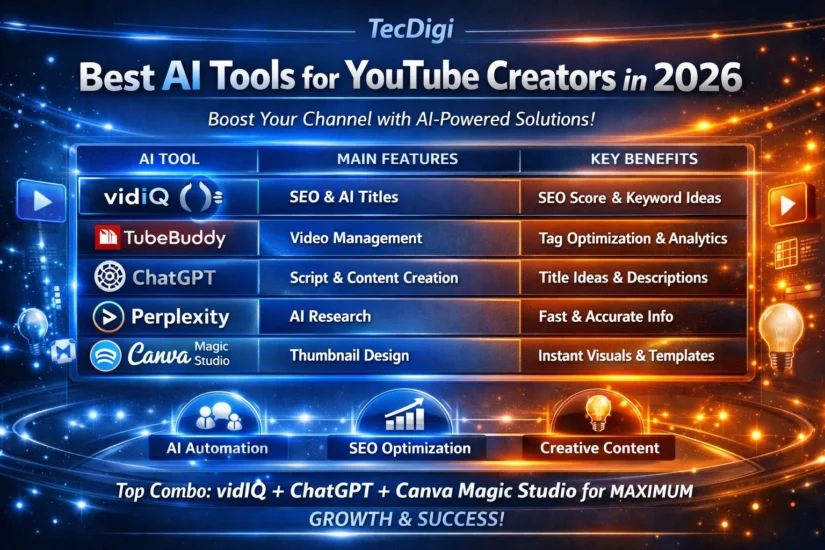
You do not need all 8 tools. Here is the recommended stack by creator stage:
Beginner Stack (Under 1,000 subscribers) — Free to $0/month
- VidIQ Free — keyword research and competitor overlay
- Canva Free — thumbnails
- ChatGPT or Claude Free — script drafts
This stack costs nothing and covers the three most important growth factors: For more no-cost video options, see our free AI video generators guide. findability, click-through rate, and content quality.
Growing Creator Stack (1,000–50,000 subscribers) — ~$30–$45/month
- VidIQ Pro (~$16.58/month) — unlimited keyword research + 10 AI ideas/day
- Descript Creator ($12/month) — faster video editing
- Canva Pro ($15/month) — professional thumbnails
→ Start with VidIQ Pro at vidiq.com/tecdigi
Established Creator Stack (50,000+ subscribers) — ~$70–$100/month
- VidIQ Pro or Boost — growth strategy
- TubeBuddy Legend ($19.99/month) — bulk optimization + A/B testing
- Descript Pro ($24/month) — video editing at scale
- Opus Clip Pro ($29/month) — Shorts repurposing
- ElevenLabs Creator ($22/month) — dubbing for global reach
AI Use and YouTube Monetization: What Creators Should Know
Using AI does not automatically make a YouTube video ineligible for monetization. The important distinction is whether the finished content provides original value and whether realistic synthetic or altered content requires disclosure.
YouTube requires creators to disclose certain realistic content that is meaningfully altered or synthetically generated, such as realistic depictions of real people, real events, or places that did not actually occur. By contrast, using AI for tasks such as brainstorming, outlines, scripts, captions, or minor production assistance does not automatically require the same disclosure.
Creators should also avoid relying on repetitive or mass-produced content with little original value. AI should support the creative process rather than replace the creator’s responsibility for useful, original content.
Always check YouTube’s current altered or synthetic content disclosure guidance and YouTube Partner Program monetization policies before publishing AI-heavy videos.
Choosing AI Tools for YouTube by Workflow
The most useful AI tools for YouTube are usually the ones that remove a specific bottleneck. A creator researching topics may need YouTube SEO and keyword research tools, while another creator may need AI assistance for scripting, editing, thumbnails, Shorts, or voice production.
- AI tools for YouTube SEO: use research and optimization tools to identify topics, keywords, competitors, and packaging opportunities.
- AI tools for YouTube growth: combine research, content planning, packaging, publishing, and analytics rather than relying on one application.
- AI tools for video creators: prioritize editing, transcription, clipping, generation, voice, and repurposing when production is the main bottleneck.
- YouTube creator tools: combine AI features with YouTube Studio and the creator’s own judgment about audience demand and content quality.
FAQ: Best AI Tools for YouTube Creators 2026
What is the best free AI tool for YouTube in 2026? VidIQ’s free plan is the best free AI tool for YouTube creators. It includes the competitor overlay (which shows you any video’s keyword strategy), 3 keyword searches per day, and 3 AI daily video ideas. The competitor overlay alone is worth installing even if you never upgrade. Try it free at vidiq.com/tecdigi.
Can AI tools actually help grow a YouTube channel? Yes — with realistic expectations. AI tools help you make better decisions: what topics to cover, what keywords to target, when to publish, how to structure scripts, and how to optimize thumbnails. They cannot replace consistent publishing and genuine quality, but they make both significantly more effective. Creators who use data-driven tools consistently outperform those who guess.
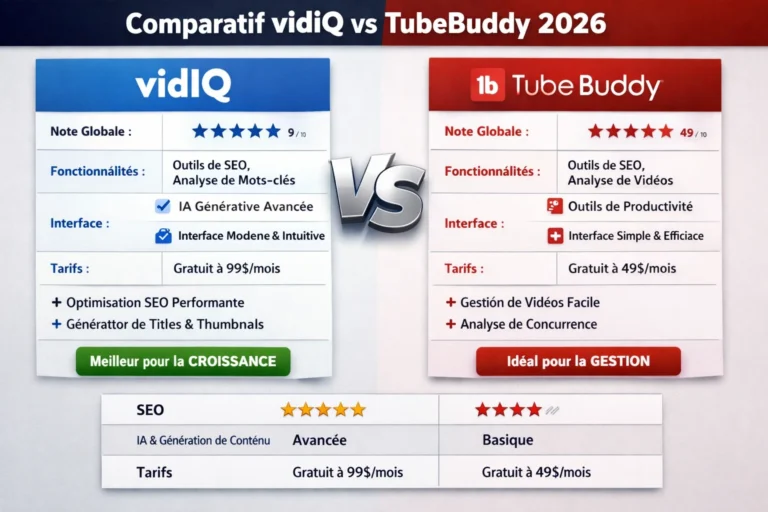
Is VidIQ or TubeBuddy better for YouTube growth in 2026? For growing channels (under 50,000 subscribers), VidIQ is the better starting point. Its AI daily ideas and keyword research tools address the most critical growth factor: choosing the right topics. TubeBuddy becomes more valuable once your channel is established and you need to optimize a large back-catalog. Many serious creators use both. Read our full VidIQ vs TubeBuddy 2026 comparison for the complete breakdown.
Do I need to pay for AI tools to grow on YouTube? No. The free plans from VidIQ, Canva, and ChatGPT or Claude are enough to get started and see real results. Paid plans make sense once you are publishing consistently and want to scale — typically once you have 1,000+ subscribers and are uploading weekly.
What AI tools do professional YouTubers use in 2026? Most professional creators use a combination of VidIQ (for SEO and ideas), Descript (for editing), Canva AI (for thumbnails), and either ChatGPT or Claude (for scripting). Larger channels often add Opus Clip for Shorts repurposing and TubeBuddy for back-catalog optimization.
What are the best AI tools for YouTube creators?
There is no single best AI tool for every creator. VidIQ and TubeBuddy are useful for YouTube research and optimization, ChatGPT and Claude for scripting and ideation, Descript for editing and transcription, Canva for thumbnails, Opus Clip for Shorts, and ElevenLabs for voice and dubbing workflows.
What AI tools can help grow a YouTube channel?
AI can help with topic research, keyword discovery, scripting, thumbnails, editing, Shorts repurposing, and workflow automation. The strongest results usually come from combining specialized tools with original content and audience research.
Can AI-generated YouTube videos be monetized?
AI-assisted videos can potentially be monetized, but creators must follow YouTube’s current monetization and synthetic-content disclosure policies. Repetitive or mass-produced content with insufficient original value can create monetization problems.
Conclusion: The Best AI Tools for YouTube Creators in 2026
The best AI YouTube tools depend on your workflow. VidIQ and TubeBuddy can support research and optimization, ChatGPT and Claude can help with scripting and ideation, Descript can simplify editing and transcription, Canva can support thumbnail production, Opus Clip can help repurpose long-form videos into Shorts, and ElevenLabs can support voice and dubbing workflows.
Instead of building a large stack immediately, choose the tool that solves your biggest current bottleneck. As your channel grows, add another specialized tool only when it provides a clear workflow benefit.
The goal is not to automate everything. Use AI to save time while keeping the research, creative decisions, originality, and audience value under your control.