Best AI Video Generators in 2026: 10 Tools Compared
AI video generators have changed the way creators produce content. Instead of spending hours recording, editing, finding stock footage, adding subtitles, and creating voiceovers, you can now use AI to automate much of the video production process.
But not every AI video tool is designed for the same type of content.
Some platforms are better for text-to-video generation, while others focus on social media videos, AI avatars, YouTube content, marketing videos, or AI-assisted editing.
In this guide, we compare 10 of the best AI video generators in 2026 and explain which tool makes the most sense for different types of creators.
Affiliate disclosure: Some links in this article are affiliate links. If you purchase a product through one of these links, we may earn a commission at no additional cost to you.
Table of Contents
Quick Comparison: Best AI Video Generators in 2026

| AI Video Tool | Best For | Main Strength |
|---|---|---|
| InVideo AI | YouTube, social media and marketing | Complete AI video creation |
| Runway | Creative AI video generation | Advanced generative video |
| Canva | Beginners and social media | Easy design + AI video |
| CapCut | TikTok, Shorts and Reels | Fast social video editing |
| VEED | Online video creation | Browser-based editing |
| Descript | YouTube and podcasts | Text-based video editing |
| Synthesia | Business and training | AI avatars |
| HeyGen | AI presenters and marketing | Realistic AI avatars |
| Pictory | Repurposing content | Text and long-form content to video |
| Adobe Express | Creators and businesses | AI-powered design and video |
1. InVideo AI
Best for: YouTube videos, social media content, marketing videos and beginners
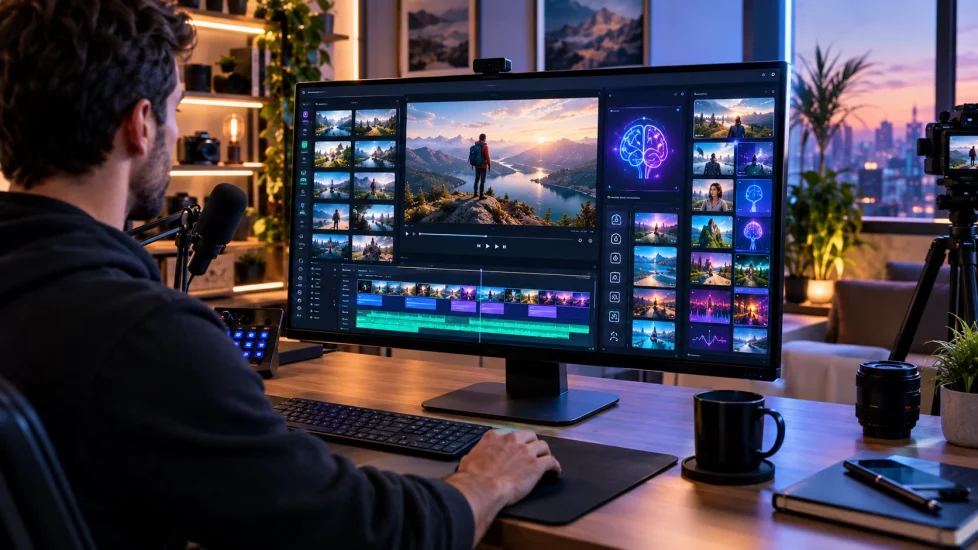
InVideo AI is one of the most practical options for creators who want to go from an idea or prompt to a complete video.
Instead of focusing only on generating short AI video clips, InVideo AI is designed around the broader video-production workflow.
You can use it to create videos from prompts, generate scripts, work with stock media, add voiceovers, create scenes and edit the final result.
This makes it particularly useful for creators who want to produce content without becoming advanced video editors.
Why choose InVideo AI?
- AI-assisted video creation
- Script-to-video workflow
- Voiceovers
- Stock media integration
- Social media content creation
- YouTube video production
- Easy editing workflow
- Useful for faceless content
Best use cases
InVideo AI is particularly interesting for:
- YouTube channels
- Faceless YouTube videos
- TikTok content
- Instagram Reels
- Promotional videos
- Product videos
- Marketing content
- Educational videos
Our verdict
If your goal is to create complete videos rather than simply generate individual AI clips, InVideo AI is one of the strongest options to consider.
Best for: creators who want an all-in-one AI video workflow.
Try InVideo AI: https://invideo.sjv.io/1GgYag
2. Runway

Best for: Advanced AI-generated video and creative professionals
Runway is aimed more toward creators who want sophisticated generative video capabilities.
Rather than functioning primarily as a simple automated video maker, Runway focuses heavily on generative video, creative control and AI-powered visual production.
It can be useful for filmmakers, designers, advertisers and creators who want more control over the visual output.
Why choose Runway?
- Advanced AI video generation
- Creative visual effects
- Generative video workflows
- Image-to-video capabilities
- Professional creative applications
- Multiple AI models and generation options
Runway is generally better suited to users who are willing to spend more time experimenting with prompts, models and settings.
Our verdict
Runway is a strong choice if visual quality and creative control are more important than having the simplest possible video-production workflow.
Best for: advanced creators, filmmakers and visual experimentation.
3. Canva
Best for: Beginners, social media creators and small businesses
Canva has evolved far beyond static graphic design.
Its AI features now extend into video creation, allowing users to generate and customize video content directly within the Canva ecosystem.
One of Canva’s biggest advantages is the combination of AI generation and its existing design environment.
You can generate content and then continue editing it using templates, graphics, animations, audio, brand assets and other design tools.
Why choose Canva?
- Beginner-friendly interface
- AI video features
- Large template ecosystem
- Social media designs
- Brand tools
- Video editing
- Graphics and animations
- Easy content resizing
Canva is particularly useful if you already use it for thumbnails, social posts, presentations or marketing materials.
Our verdict
Canva is one of the easiest choices for users who want to combine AI video generation with traditional design and branding tools.
Best for: beginners, marketers and social media creators.
4. CapCut
Best for: TikTok, YouTube Shorts and social media
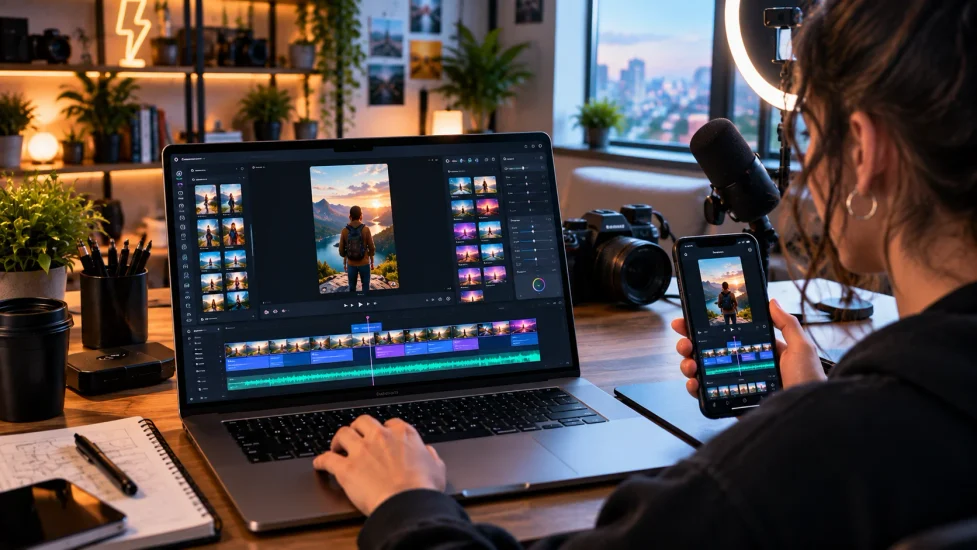
CapCut has become one of the most popular tools for short-form video creation.
Its strength is speed.
Creators can combine templates, automatic captions, effects, transitions, AI-powered features and traditional editing tools without needing professional editing experience.
Why choose CapCut?
- Fast editing
- Automatic captions
- AI-assisted editing
- Templates
- Effects and transitions
- Vertical video workflows
- Social media focused features
CapCut is especially attractive for creators producing large quantities of short-form content.
Our verdict
If your primary objective is producing TikTok videos, Instagram Reels or YouTube Shorts quickly, CapCut deserves a place on your shortlist.
Best for: short-form social media content.
5. VEED
Best for: Browser-based video creation
VEED is an online video editor that combines traditional editing with AI-powered tools.
Because it works primarily through the browser, users can create and edit videos without installing a large desktop application.
VEED is useful for creators who need a relatively simple workflow for producing marketing videos, social media content, subtitles and other online video formats.
Why choose VEED?
- Browser-based editing
- AI video tools
- Automatic subtitles
- Text-to-speech capabilities
- Social media content
- Online collaboration
- Simple editing workflow
Our verdict
VEED is a good option for users who want an online video editor with AI features rather than a purely generative AI platform.
Best for: online video editing and content creators.
6. Descript
Best for: YouTube creators, podcasts and talking-head videos
Descript takes a different approach to video editing.
Instead of treating video editing entirely as a timeline-based process, Descript allows creators to work with video through text.
This can make editing interviews, podcasts, tutorials and talking-head videos considerably easier.
Why choose Descript?
- Text-based video editing
- Transcription
- Podcast editing
- Screen recording
- AI-assisted editing
- Voice-related tools
- Easy removal of unwanted sections
For creators who regularly produce spoken content, this workflow can save considerable editing time.
Our verdict
Descript is particularly useful when the spoken content is the most important part of the video.
Best for: YouTube creators, podcasters and educational content.
7. Synthesia
Best for: Business videos, training and AI presenters
Synthesia focuses heavily on AI avatars and presenter-based video production.
Instead of filming a person in front of a camera, businesses can create videos using AI presenters and generated voices.
This makes the platform especially interesting for corporate communication, onboarding, training and educational content.
Why choose Synthesia?
- AI avatars
- AI presenters
- Text-to-video workflows
- Business video production
- Training content
- Educational videos
- Multilingual video creation
Our verdict
Synthesia makes the most sense for businesses that need professional presenter-style videos without recording a presenter for every video.
Best for: corporate training and business communication.
8. HeyGen
Best for: AI avatars, marketing and multilingual content
HeyGen is another major platform focused on AI avatar videos.
It allows users to create videos featuring AI presenters from scripts, making it useful for marketing, sales, educational content and communication.
Its avatar-focused workflow makes it different from tools primarily designed around cinematic text-to-video generation.
Why choose HeyGen?
- AI avatars
- AI presenters
- Script-to-video creation
- Voice generation
- Multilingual content
- Marketing videos
- Business communication
Our verdict
Choose HeyGen if your priority is creating presenter-based videos without recording yourself.
Best for: marketing, sales and multilingual presenter videos.
9. Pictory
Best for: Turning existing content into videos
Pictory focuses strongly on content repurposing.
Instead of starting every project from scratch, creators can use written content and other existing material as the foundation for video production.
This makes it interesting for bloggers, marketers and content teams that already have articles, scripts or long-form content.
Why choose Pictory?
- Text-to-video workflows
- Content repurposing
- Automatic captions
- AI voiceovers
- Video summarization
- Marketing content
- Social media content
Our verdict
Pictory is a good choice if you already have articles, scripts or long-form content that you want to transform into videos.
Best for: bloggers, marketers and content repurposing.
10. Adobe Express
Best for: Creators who want AI video plus professional design tools
Adobe Express combines video creation with Adobe’s broader creative ecosystem.
Its AI features can generate video from text prompts and starting images, while the platform also provides templates, editing tools, stock assets and other design features.
This makes Adobe Express particularly attractive to creators who want more than a standalone AI video generator.
Why choose Adobe Express?
- AI video generation
- Text-to-video workflows
- Starting-image references
- Video templates
- Social media tools
- Adobe Stock assets
- Brand and design tools
- Browser and mobile workflows
Our verdict
Adobe Express is a strong choice for creators and businesses that want AI video generation combined with a larger design and content-production ecosystem.
Best for: marketers, businesses and creators already using Adobe tools.
How We Compared These AI Video Generators
There is no single AI video generator that is perfect for everyone.
Instead, we looked at the most important factors for different types of users:
1. Ease of use
A good AI video platform should make video creation easier rather than simply adding another complicated workflow.
2. AI generation capabilities
We considered how each platform approaches AI-generated video, including text-based workflows, image-to-video features and AI-assisted creation.
3. Editing features
Generating a video is only part of the process.
Good editing tools can make a major difference when you need to adjust scenes, captions, audio, transitions or branding.
4. Content formats
Different creators need different formats.
YouTube videos, Shorts, TikTok videos, advertisements, presentations and training videos all require different workflows.
5. Use cases
We also considered which audiences each platform is best suited to:
- Beginners
- YouTubers
- Social media creators
- Marketers
- Businesses
- Educators
- Professional creators
6. Free and paid access
Most AI video platforms use some form of free access, credits, limits or paid subscriptions.
Because these limits can change frequently, always check the current plan before subscribing.
Best AI Video Generator for YouTube
For YouTube creators, InVideo AI is one of the most interesting options when the goal is to create complete videos from an idea or script.
For more advanced creative generation, Runway is worth considering.
For talking-head videos and podcast-style content, Descript can be particularly useful.
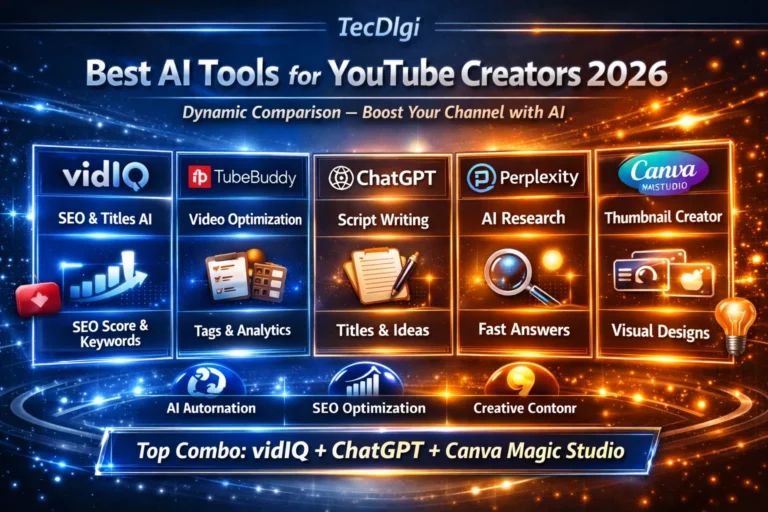
And if you’re building a YouTube channel around AI tools, combining video creation with a YouTube optimization platform can also make sense.
You can learn more in our guide to the Best AI Tools for YouTube Creators.
Best AI Video Generator for TikTok and Short-Form Content
For short-form creators, CapCut is one of the most practical choices because its workflow is heavily focused on fast social video creation.
Canva is another strong option when you need branded social media content.
InVideo AI is particularly useful when you want to create complete videos from prompts rather than manually editing every scene.
You can also explore our guide to the Best AI Tools for Social Media Marketing.
Best AI Video Generator for Beginners
If you have never used an AI video tool before, ease of use should be one of your highest priorities.
Our beginner-friendly choices are:
- Canva — easiest overall design ecosystem
- InVideo AI — complete AI-assisted video creation
- CapCut — excellent for short-form videos
- VEED — simple browser-based editing
The best choice ultimately depends on the type of videos you want to create.
Best AI Video Generator for Faceless YouTube Channels
Faceless YouTube channels often require several different components:
- Script generation
- Voiceover
- Stock footage
- AI-generated visuals
- Captions
- Music
- Editing
For this type of workflow, InVideo AI is particularly interesting because it brings many of these steps together.
However, creators who want more control can combine several specialized AI tools instead of relying on a single platform.
For example, you can use one AI tool for research, another for writing, another for images and another for video production.
Our Complete Guide to AI Tools explains how different categories of AI tools can work together.
AI Video Generator vs. Traditional Video Editor
AI video generators and traditional video editors are not necessarily competitors.
They solve different problems.
A traditional editor gives you detailed control over:
- Timeline editing
- Audio
- Transitions
- Color
- Effects
- Individual clips
An AI video generator can automate much of the process:
- Script creation
- Scene generation
- Voiceovers
- Captions
- Stock media selection
- Basic editing
For many creators, the best workflow is actually a combination of both.
Use AI to accelerate the first version, then use an editor to refine the final video.
How to Choose the Right AI Video Generator
Before paying for an AI video platform, ask yourself five questions.
What type of video do I want to create?
A TikTok video requires a completely different workflow from a corporate training video.
Do I need generated footage or a complete video?
Some platforms are mainly designed to generate individual clips.
Others can transform an idea or script into an entire video.
Do I need an AI avatar?
If you want a virtual presenter, platforms such as Synthesia and HeyGen may be more appropriate.
Do I need advanced creative control?
If cinematic generation and experimentation are your priority, Runway may be more suitable.
Do I want everything in one platform?
If you want a simpler workflow, an all-in-one platform such as InVideo AI can be more convenient.
Frequently Asked Questions
What is the best AI video generator in 2026?
There is no universal winner. For complete AI-assisted video creation, InVideo AI is one of the strongest options. Runway is better suited to advanced generative video, while Canva and CapCut are excellent for accessible social content creation.
What is the best free AI video generator?
The answer depends on the platform’s current free limits and the type of video you need. Many services offer free plans or limited credits, but advanced generation features often require a paid plan.
Can AI create an entire YouTube video?
Yes. Modern AI video platforms can help with scripts, scenes, voiceovers, stock footage, captions and editing. However, human review is still important if you want accurate, original and engaging content.
Can AI generate videos from text?
Yes. Text-to-video is now one of the main capabilities offered by modern AI video platforms. Some tools generate individual video clips, while others use text to create a more complete video project.
Which AI video generator is best for TikTok?
CapCut, Canva and InVideo AI are all worth considering. The best choice depends on whether your priority is fast editing, branded content or automated video creation.
Which AI video generator is best for businesses?
Synthesia, HeyGen and Adobe Express are strong options for business use, while InVideo AI can be useful for marketing and promotional content.
Final Verdict

The best AI video generator depends on what you actually want to create.
Our recommendations by use case:
- Best overall for complete AI video creation: InVideo AI
- Best for advanced generative video: Runway
- Best for beginners: Canva
- Best for TikTok and Shorts: CapCut
- Best browser-based editor: VEED
- Best for YouTube and podcasts: Descript
- Best for corporate training: Synthesia
- Best for AI presenters: HeyGen
- Best for content repurposing: Pictory
- Best for AI + professional design: Adobe Express
The AI video market is evolving extremely quickly. New models, features and pricing structures can appear within months, so the best platform today may not remain the best option forever.
For most creators, the smartest approach is to start with one platform, learn its workflow, and only add specialized tools when they solve a specific problem.
If you want an all-in-one starting point for creating AI-powered videos, InVideo AI is one of the platforms worth trying first.
Recommended next step: Explore InVideo AI and see whether its workflow fits the type of videos you want to create.