How to Use VidIQ in 2026: Step-by-Step YouTube Growth Guide
By Alex Martin | Updated: October 2026 | 12 min read
What you will learn: How to use vidIQ for YouTube research, video ideas, AI Coach, competitor analysis, video optimization, and channel review without trying to use every feature at once.
→ Start with vidIQ free at vidiq.com/tecdigi and explore the workflow with the tools available on your plan.
vidIQ is most useful when you treat it as a research and optimization assistant rather than a guarantee of more YouTube views.
The current vidIQ workflow centers on tools such as Research, AI Coach, Optimize, Daily Ideas, competitor analysis, and channel insights. The exact features and limits depend on your plan, device, and the version of the vidIQ interface you see.
This guide shows a practical way to use vidIQ in 2026: start with a topic, validate the opportunity, develop the idea, improve the video package, and then review what happened after publishing.
How to Get Started With VidIQ
Create a Free VidIQ Account
Start by creating or signing in to your vidIQ account. You can begin with the Free plan before deciding whether the paid features are useful for your workflow.
The free account is enough to explore the core workflow, although some research results, AI usage, competitor tracking, and optimization features have plan-based limits.
Connect Your YouTube Channel
After signing in, connect the YouTube channel you want to work on. Check that the correct channel is selected before using channel-specific recommendations.
Once the channel is connected, vidIQ can use channel context for features such as personalized ideas and other recommendations.
Do You Need the Browser Extension?
No. You can follow the main workflow through the vidIQ website. The browser extension is useful when you want vidIQ information directly inside YouTube, but it is optional for this guide.
How to Use VidIQ: The Quick Answer
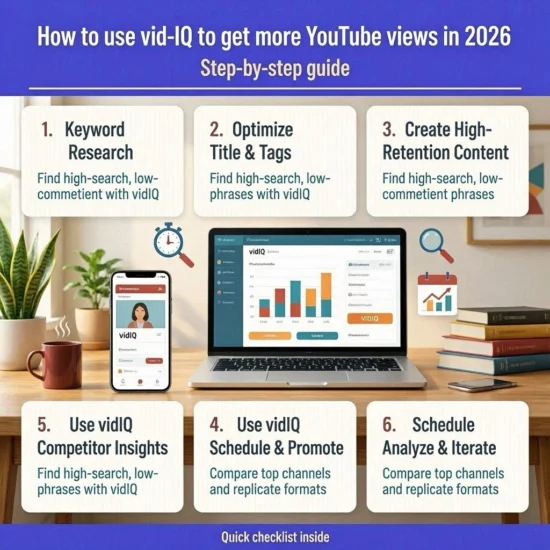
If you are a beginner, use vidIQ in this order:
- Connect your YouTube channel.
- Use Research to explore topics and keywords.
- Use AI Coach to develop the strongest idea and improve the title or angle.
- Use Daily Ideas when you need additional content directions.
- Use Optimize to review the title, thumbnail, description, and available SEO feedback.
- Analyze competitors and outlier videos for patterns worth studying.
- Review your actual YouTube results and use those lessons for the next video.
The goal is not to maximize every vidIQ score. The goal is to make better decisions for a specific audience and video.
Step 1: Find a YouTube Topic With VidIQ
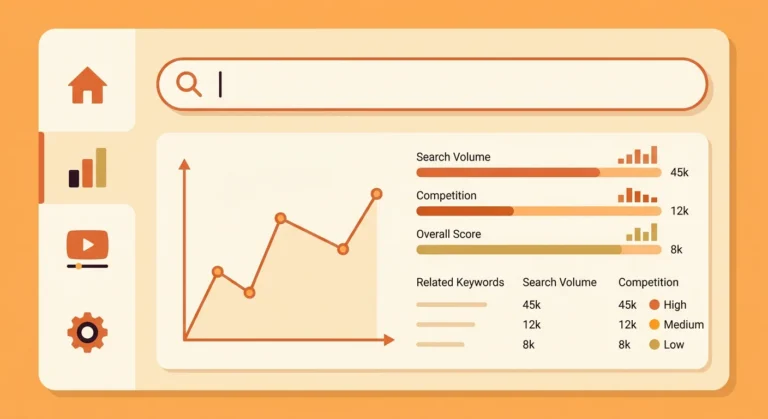
Use Research to Explore Keywords
Open Research and start with a topic your audience already cares about. You can then explore related keywords, questions, and videos around that subject.
For example, instead of starting with the generic idea “AI tools,” a creator could investigate a more specific topic such as “AI tools for YouTube thumbnails” or “how to use AI for YouTube scripts.”
Specific topics make it easier to define the viewer, the problem, and the promise of the video.
Compare Search Ideas Instead of Chasing the Highest Score
Keyword scores and search-volume estimates are useful comparison signals, but they should not make the decision for you.
Ask three questions:
- Does this topic match my audience?
- Can I make a genuinely useful video about it?
- Is there a clear reason someone would choose this video over the alternatives?
A keyword with a strong score is not automatically a good video topic, and a lower-scoring topic can still work when the audience fit and content angle are strong.
Look at Related Searches and Questions
Related terms and questions can reveal narrower versions of a broad topic. Use them to discover the actual problems viewers may want answered.
On the Free plan, some keyword research views are limited. vidIQ currently lists three results per search for Keyword Research on the Free plan, while higher plans provide broader access.
Step 2: Use VidIQ AI Coach to Develop the Idea
Ask AI Coach for Video Ideas
AI Coach can help turn a rough topic into possible video ideas, titles, hooks, descriptions, and strategy suggestions.
Instead of asking a vague question such as “Give me a viral video,” provide context:
- your channel niche;
- the target viewer;
- the topic you are considering;
- the format you want to publish;
- the result you want the video to achieve.
Use AI Coach to Improve a Video Title
Give AI Coach the actual subject of your video and ask for several title options that accurately represent the content.
Then reject any suggestion that introduces a claim your video cannot support. A more clickable title is not useful if it creates a mismatch between the promise and the video.
Give AI Coach Enough Context
Specific prompts generally produce more useful results than generic requests. Ask for alternatives, explain what you dislike, and refine the result instead of accepting the first suggestion automatically.
AI Coach can make mistakes, so treat its output as a starting point that needs human review.
Step 3: Use VidIQ Daily Ideas for Content Planning
What Daily Ideas Does
Daily Ideas provides topic suggestions based on your channel context and available vidIQ data. It can be useful when you know your niche but have not decided what to publish next.
How to Evaluate the Ideas It Generates
Do not publish an idea simply because vidIQ recommends it. Check whether the topic fits your audience, whether you can add something useful, and whether the title communicates a clear benefit.
On the current Free plan, vidIQ lists up to three Personalized Daily Ideas per day. Limits can change as the product evolves, so check your current account if the interface shows different limits.
Don’t Publish an Idea Just Because VidIQ Recommends It
The strongest use of Daily Ideas is as an input to your editorial judgment. Combine the suggestion with your own knowledge of your audience, recent videos, comments, and YouTube Analytics.

Step 4: Analyze Competitors With VidIQ
What to Look For in Competitor Videos
Use competitor analysis to understand what is working in your niche, not to copy another creator’s video.
Look for recurring subjects, packaging patterns, video formats, publishing frequency, and unusual performers.
Find Outlier Videos
An outlier is useful because it can show a topic or packaging approach that performed differently from a channel’s normal results.
Study several examples rather than treating one successful video as proof that a particular formula will work for every channel.
Compare Views, Recency and Channel Size
Views become more informative when you consider how recent the video is and how large the channel is. A video performing strongly for a relatively small channel can be an interesting research signal.
VidIQ’s extension also exposes metrics such as Views Per Hour and Outlier Score, depending on the feature and plan available to you.
Step 5: Optimize Your YouTube Video With VidIQ
Improve the Title
A good title should accurately communicate the video’s subject and give the intended viewer a reason to click.
Use the keyword research you performed earlier as context, but write for humans first. Avoid stuffing multiple keyword variations into a title.
Review Thumbnail Suggestions
If thumbnail feedback or recommendations are available on your plan, use them as another input. Check whether the thumbnail is understandable at a small size and whether it complements rather than repeats the title.
Check Your Description and SEO
Make sure the description accurately explains the video and naturally includes important context. Do not add unrelated keywords simply to increase an optimization score.
vidIQ’s Optimize area can help review titles, thumbnails, descriptions, and available SEO feedback. Some advanced recommendations are limited to paid plans.
Compare Your Optimization Progress
Optimization scores are best used as checklists rather than targets that must be maximized. If a recommendation makes the title less clear or creates an unsupported promise, keep the clearer version.
Step 6: Use VidIQ to Audit Your YouTube Channel
Find Underperforming Videos
A channel audit can help identify areas that deserve attention. Start by looking for patterns rather than trying to fix every video at once.
Identify Content Patterns
Compare groups of videos by topic, format, audience, title approach, and performance. Look for repeated patterns across several videos.
Turn Audit Findings Into Your Next Videos
The useful output of an audit is an action. For example, you might decide to make a follow-up video on a topic that repeatedly attracts viewers, improve packaging on a strong subject, or stop spending time on a format that consistently misses your audience.
Step 7: Build a Simple VidIQ Workflow
Research → Idea → Validate → Optimize → Review
A simple workflow is more sustainable than trying to use every vidIQ feature every day.
- Research: Find a topic and examine related searches.
- Idea: Define the specific viewer and problem.
- Validate: Compare competing videos and outliers.
- Optimize: Improve the title, thumbnail, description, and opening.
- Review: Check the real result in YouTube Studio and use the lesson for the next video.
Before Publishing
Check that the title matches the actual video, the thumbnail communicates one clear idea, and the opening quickly delivers on the promise.
During Production
Use AI Coach and other research tools to refine the concept, but keep your own editorial judgment. The final video should sound like your channel rather than a generic AI-generated script.
After Publishing
Review performance using YouTube Studio. Look at impressions, click-through rate, audience retention, traffic sources, and viewer behavior where relevant. Compare patterns across multiple videos before changing your entire strategy.
What Can You Do With VidIQ for Free?
The Free plan provides enough functionality to learn the basic workflow, but it has limits.
| Feature | Current Free access |
|---|---|
| AI credits | 150 per month |
| Keyword Research | 3 results per search |
| Personalized Daily Ideas | Up to 3 per day |
| Competitor tracking | Up to 3 competitors |
| Outliers | 8 results per search |
| Channel Audit | Limited sections and timeframe |
| Optimize Score | Available |
These limits reflect vidIQ’s current published plan information and can change. Some features are also being transitioned to the shared AI credit system, so your account may display slightly different limits during a rollout.
For a deeper explanation of the current free-plan restrictions, see our vidIQ free plan limitations guide.
Which VidIQ Features Should Beginners Use First?
| Goal | Start with |
|---|---|
| Find a topic | Research |
| Develop an idea | AI Coach |
| Get additional content ideas | Daily Ideas |
| Study competing channels | Competitors and Outliers |
| Improve a video package | Optimize |
| Find broader channel patterns | Channel Audit and YouTube Analytics |
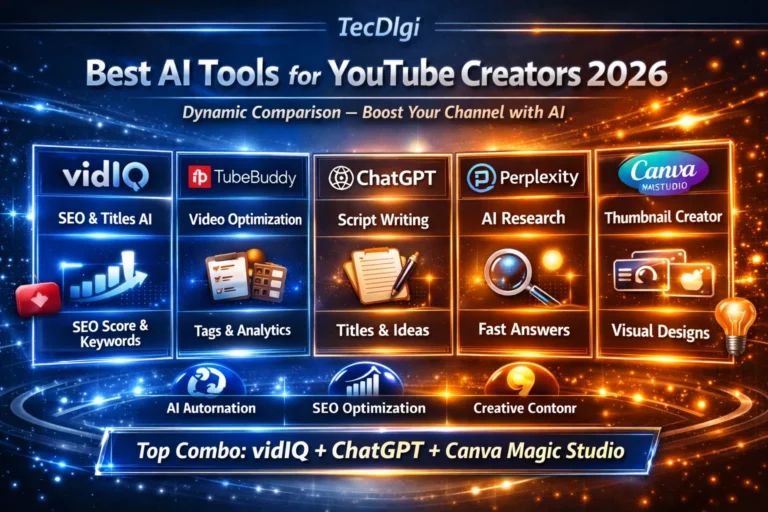
If you are completely new to AI tools for YouTube, our guide to the best AI tools for YouTube creators covers the wider tool ecosystem beyond vidIQ.
FAQ: How to Use VidIQ
What is VidIQ used for?
vidIQ helps YouTube creators research topics and keywords, generate and refine ideas, analyze competing content, optimize videos, and review channel performance. It is a decision-support tool rather than a guarantee of views.
Can I use VidIQ for free?
Yes. vidIQ has a Free plan with limited access to several research, AI, competitor, and optimization features. The current Free plan includes 150 monthly AI credits, along with plan-based limits on features such as Keyword Research, Daily Ideas, and competitor tracking.
How do I use VidIQ for keyword research?
Open Research, enter a topic relevant to your audience, review related keywords and questions, and compare several options. Do not choose a keyword solely because it has the highest score; audience fit and the quality of the video idea matter too.
How do I use VidIQ to find YouTube video ideas?
Use Research for topic exploration, Daily Ideas for additional suggestions, and AI Coach to turn promising subjects into specific video concepts. Validate the final idea against your audience and competing videos before publishing.
Does VidIQ guarantee more YouTube views?
No. VidIQ provides research, recommendations, and optimization tools, but it cannot guarantee a particular number of views. YouTube performance also depends on the topic, audience, packaging, content quality, competition, distribution, and viewer response.
Do I need the VidIQ browser extension?
No. The main workflow can be completed through the vidIQ website. The extension is useful when you want vidIQ metrics and tools directly within YouTube or YouTube Studio.
Is VidIQ useful for a small YouTube channel?
It can be useful for a small channel because research and competitor analysis can help narrow down topics and packaging decisions. However, the tool does not remove the need to understand your audience or make useful videos.
Is VidIQ worth paying for?
That depends on how often you use its premium research, AI, competitor, and optimization features. Start with the Free plan and identify which limits actually affect your workflow before upgrading.
For a broader assessment of the product, read our full VidIQ review or compare it directly with TubeBuddy in our VidIQ vs TubeBuddy comparison.
Final Verdict: How to Use VidIQ Effectively
The best way to use vidIQ is not to chase every feature or every optimization score. Use it as a repeatable research and decision-making workflow.
Start with a real audience problem, use Research to explore the opportunity, develop the idea with AI Coach or Daily Ideas, study competing videos, optimize the package, and then compare the result with your previous work.
If the Free plan gives you enough data for that workflow, there is no need to upgrade immediately. If you repeatedly hit a specific limitation, then compare the paid features with the way you actually create videos.
→ Try vidIQ for free and see which parts of the workflow are useful for your channel.
Disclosure: Some links in this article are affiliate links. If you sign up through them, TecDigi may earn a commission at no additional cost to you.