VidIQ vs TubeBuddy 2026: Which YouTube Tool Fits You Best?
By Alex Martin | Updated: June 2026 | ⭐⭐⭐⭐ Comparison updated Reading time: 10 minutes
VidIQ AI Credits in 2026
VidIQ’s AI features use monthly AI credits, and the amount available depends on the plan. The current official VidIQ documentation lists 150 AI credits per month on the Free plan, 1,000 on Pro, 2,000/2,500/3,000 on Boost depending on the number of connected channels, and 6,000/8,000/10,000 on Max. Unused monthly plan credits do not roll over.
The credit system matters when comparing VidIQ with TubeBuddy because AI-heavy workflows can consume credits quickly. For example, VidIQ currently lists AI Coach Fast and Regular at 10 credits per message, Deep Thinking at 25 credits, Max Mode at 35 credits, Thumbnail generation at 22 credits, Title Generator at 3 credits, Description Generator at 1 credit, and Remix at 3 credits per use. Script Writer and other tools can have usage-based costs.
These limits should be checked against VidIQ’s current plan documentation before making a purchase because features, credits, pricing, and eligibility can change.
Source: VidIQ Features & Credits by Plan.
How We Compared VidIQ and TubeBuddy
We compared the two platforms across YouTube keyword research, content ideas, competitor research, optimization, AI-assisted features, testing tools, channel workflows, and pricing. Because both products regularly change their features and plan limits, current details should be checked against the official product documentation before subscribing.
Quick Answer: VidIQ wins for keyword research and AI-powered content ideas. TubeBuddy wins for bulk editing and A/B thumbnail testing. For most growing channels, VidIQ is the better starting point — but serious creators often end up using both.
→ Try VidIQ free at vidiq.com/tecdigi (no credit card required)
We tested VidIQ vs TubeBuddy 2026 for 8 weeks across three real YouTube channels — a new channel (0–200 subscribers), a growing channel (8,000 subscribers), and an established channel (55,000 subscribers). We paid for both Pro plans, used every feature, and tracked the results.
This is not a sponsored comparison. Both tools have affiliate programs, and we link to VidIQ using our affiliate link (vidiq.com/tecdigi). Our ratings are based entirely on our own testing.
Here is what we found.
Table of Contents
VidIQ vs TubeBuddy 2026: Key Differences at a Glance
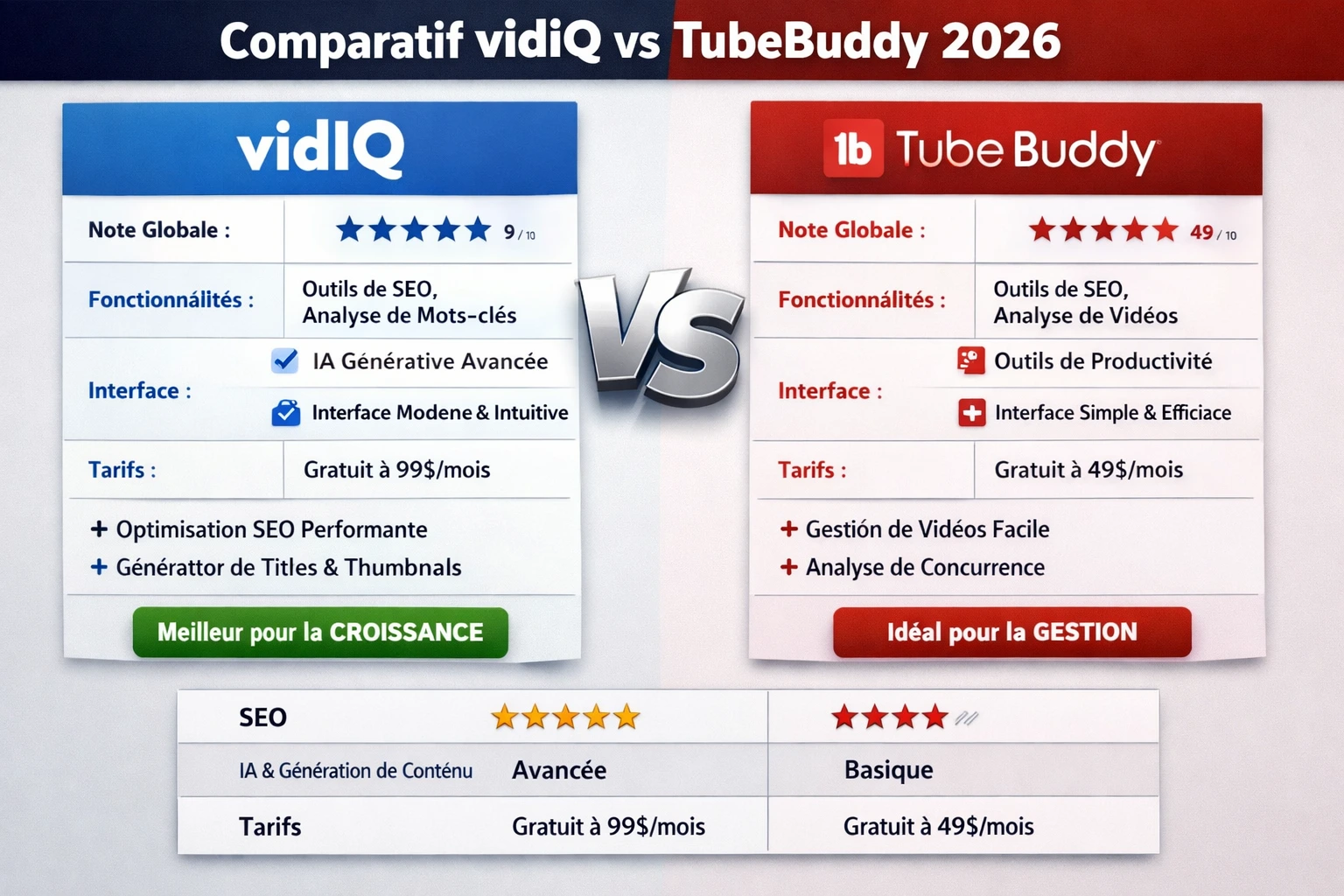
Quick answer: VidIQ is generally the stronger fit if you want AI-assisted ideation, creator-focused research, and a larger set of AI-powered workflows. TubeBuddy can be the better fit if your priorities are YouTube channel management, bulk actions, and testing-oriented workflows. There is no universal winner because the better choice depends on how you work and which plan limits matter to you.
| Feature | VidIQ | TubeBuddy |
|---|---|---|
| Keyword Research | ⭐⭐⭐⭐⭐ Best in class | ⭐⭐⭐⭐ Very good |
| AI Daily Ideas | ✅ Yes — up to 50/day | ❌ Not available |
| Competitor Overlay | ✅ Full data on any video | ✅ Full data on any video |
| Bulk Description Editing | ❌ Not available | ✅ Yes |
| A/B Thumbnail Testing | ❌ Not available | ✅ Yes |
| Channel Audit Tool | ✅ Yes | ✅ Yes |
| Free Plan | ✅ Generous | ✅ Good |
| Starting Price (paid) | ~$16.58/month (annual) | ~$4.99/month (annual) |
| YouTube Certified | ✅ Yes | ✅ Yes |
| Best For | Ideation + keyword research | Optimization + bulk editing |
What Is VidIQ?
VidIQ is a YouTube analytics, keyword research, and channel growth platform. It started as a browser extension and now includes a full web app with an AI-powered content ideas engine, competitor tracking, and a channel audit dashboard.
TubeBuddy Pricing in 2026
TubeBuddy offers YouTube-focused tools for creators, including keyword research, channel optimization, bulk management, thumbnail testing, and other workflow features. Because TubeBuddy’s plan structure and promotional offers can change, this comparison does not rely on an old fixed annual or monthly price.
When comparing TubeBuddy with VidIQ, the more useful question is what each plan actually unlocks for your workflow. Check the current TubeBuddy pricing and feature documentation before subscribing, especially if your decision depends on A/B testing, bulk tools, keyword research, or channel-management features.
Official source: TubeBuddy.
What Is TubeBuddy?
TubeBuddy is a YouTube-certified browser extension and web tool that integrates directly into YouTube Studio. It focuses heavily on video optimization, bulk operations, and A/B testing.
Where VidIQ leans into AI and keyword discovery, TubeBuddy leans into optimization: helping you manage existing content better, test different thumbnails, and update metadata across your entire video library at once.
TubeBuddy’s entry price is significantly lower ($4.99/month vs $16.58/month), making it accessible for creators who are just getting started with paid tools.
VidIQ vs TubeBuddy 2026: Feature-by-Feature Comparison
For 2026, the most useful way to compare these platforms is by workflow. Keyword research, AI content ideas, competitor analysis, bulk editing, A/B thumbnail testing, and channel audits can have very different practical value depending on the creator’s needs.
Keyword Research
VidIQ’s Free plan currently limits Keyword Research to 3 results per search. That makes plan limits important when comparing the two tools for repeated keyword discovery rather than a one-off search.
VidIQ wins here — clearly.
VidIQ’s keyword tool is the most comprehensive YouTube-specific keyword research tool available. Type any keyword and you get search volume, competition rating, a 0–100 opportunity score, related keywords, and trending data. The data updates frequently and is among the most reliable for YouTube.
TubeBuddy also has keyword research, and it is genuinely useful. The “Keyword Explorer” shows volume, competition, and a weighted score. It is not as deep or as fast as VidIQ’s tool, but it gets the job done for basic research.
Verdict: If keyword research is your main reason to buy a tool, VidIQ wins by a wide margin.
AI Content Ideas
VidIQ’s current Free plan includes 3 Personalized Daily Ideas per day and 3 Customized Daily Ideas for the lifetime of the free account. AI-heavy features also draw from VidIQ’s monthly credit allowance.
VidIQ wins — TubeBuddy does not have this feature.
VidIQ’s AI daily ideas generator is its most exciting feature in 2026. It analyzes your channel data, your niche, trending topics, and your past video performance to suggest specific video titles that have a high likelihood of resonating with your audience.
On a food channel with 8,000 subscribers, the suggestions were specific and on-point — not “easy pasta recipes” but “5-minute pasta sauces that beat delivery every time.” This level of specificity is what makes the feature genuinely valuable.
Free plan: 3 ideas/day. Pro: 10 ideas/day. Boost: 50 ideas/day.
TubeBuddy has no equivalent feature as of 2026.
Verdict: VidIQ wins by default.
Competitor Analysis
VidIQ currently lists competitor tracking limits of up to 3 competitors on Free, 20 on Boost, and 50 on Max. These limits can materially affect creators who monitor several competing channels.
Both tools are strong here — slight edge to VidIQ.
Both VidIQ and TubeBuddy offer a browser overlay that shows you keyword, tag, and performance data when you browse YouTube. Install either extension, watch a competitor’s video, and you instantly see what keywords they are targeting.
VidIQ’s overlay shows slightly more data — including views per hour, subscriber velocity, and keyword opportunity score. TubeBuddy’s overlay is cleaner and easier to read at a glance.
Verdict: VidIQ for depth, TubeBuddy for simplicity. Both are excellent.
Bulk Editing Tools
Bulk management should be evaluated separately from keyword and AI features. For creators managing many existing videos, the ability to perform repeated channel-management actions can be more valuable than additional AI generations.
TubeBuddy wins — VidIQ does not have this feature.
If you have a channel with 100+ videos and need to update descriptions, add cards, edit end screens, or change tags across your library at once, TubeBuddy’s bulk processing tools are the only real option.
VidIQ has no bulk editing functionality as of 2026. This is its biggest gap.
Verdict: TubeBuddy wins by default for channels with large libraries.
A/B Thumbnail Testing
A/B thumbnail testing is another area where the practical workflow matters more than a simple feature check. Before choosing a platform for testing, verify the current availability, eligibility, testing limits, and YouTube/channel requirements for the plan you intend to use.
TubeBuddy wins — VidIQ does not have this feature.
TubeBuddy lets you run split tests on thumbnails, titles, and descriptions. YouTube shows different versions to different audience segments, and TubeBuddy tracks which performs better. For creators who take thumbnails seriously, this is a powerful optimization tool.
Verdict: TubeBuddy wins by default.
Channel Audit
VidIQ’s Free extension currently provides a limited Channel Audit experience, including access to only 3 sections and a limited timeframe. This is useful for testing the workflow, but creators doing regular channel audits should compare the limits of their intended paid plan.
Both tools are useful — VidIQ is more actionable.
Both platforms offer a channel audit that identifies underperforming videos and suggests improvements. VidIQ’s audit is more specific, linking directly to keyword opportunities and giving prioritized action items. TubeBuddy’s audit is more focused on technical SEO issues like missing tags or suboptimal titles.
Verdict: VidIQ for strategic direction, TubeBuddy for technical fixes.
VidIQ vs TubeBuddy Pricing 2026
VidIQ’s current pricing page lists Free, Boost, and Max plans, while plan availability and promotional pricing can change. The official support documentation also distinguishes the available feature and credit allowances by plan. Because TubeBuddy pricing can change as well, this article avoids treating an old promotional price as a permanent 2026 price.
The safest comparison is therefore to evaluate the features and limits you actually need, then check the current official pricing pages before subscribing.
VidIQ Pricing
| Plan | Monthly Price (annual billing) | Best For |
|---|---|---|
| Free | $0 | Beginners, channels under 200 subs |
| Pro | ~$16.58/month | Growing channels, unlimited keyword research |
| Boost | ~$49.50/month | Full-time creators, 50 AI ideas/day |
| Coaching | $99/month | Dedicated 1-on-1 mentorship |
TubeBuddy Pricing
| Plan | Monthly Price (annual billing) | Best For |
|---|---|---|
| Free | $0 | Basics, limited features |
| Pro | ~$4.99/month | Entry-level optimization |
| Legend | ~$19.99/month | A/B testing, bulk tools |
| Enterprise | Custom | Agencies, multi-channel |
Important note on pricing: TubeBuddy is significantly cheaper at entry level ($4.99 vs $16.58). However, to access bulk editing and A/B testing on TubeBuddy, you need the Legend plan at $19.99/month — which puts it in the same price range as VidIQ Pro.
💡 Best value combination: VidIQ Pro ($16.58/month) for keyword research and AI ideas + TubeBuddy free for the basic overlay. This gives you the best of both worlds at minimal cost.
Who Should Use VidIQ?
VidIQ is the right choice if:
- You are actively trying to grow your channel and publish regularly
- You struggle with content ideation — what to make next
- Keyword research is part of your workflow
- Your channel has 500–100,000 subscribers and you want data-driven decisions
- You want the most advanced AI tools for YouTube in 2026
Who Should Use TubeBuddy?
TubeBuddy is the right choice if:
- You have a large video library (100+ videos) and need bulk editing
- You want to run A/B tests on thumbnails and titles
- You are on a tight budget and want a cheaper entry point
- You upload consistently and need optimization over ideation
Can You Use Both VidIQ and TubeBuddy Together?
Yes — both extensions can run simultaneously. According to our testing, running both causes a 2–3 second additional load time in YouTube Studio, which is a minor inconvenience. Many full-time creators use both tools because they genuinely serve different purposes.
If you can only afford one: start with VidIQ for growing channels, TubeBuddy for established channels with large libraries.
VidIQ vs TubeBuddy 2026: Final Verdict
| Category | Winner |
|---|---|
| Keyword Research | ✅ VidIQ |
| AI Content Ideas | ✅ VidIQ |
| Competitor Analysis | ✅ VidIQ (slight edge) |
| Bulk Editing | ✅ TubeBuddy |
| A/B Testing | ✅ TubeBuddy |
| Entry Price | ✅ TubeBuddy |
| Best All-Around for Growth | ✅ VidIQ |
For most creators in 2026, VidIQ is the better starting point. Its keyword research and AI daily ideas engine are unmatched, and those two features alone drive the most impactful decisions for growing channels: knowing what to make and how to title it.
TubeBuddy becomes essential once your channel is established and you need to optimize at scale — bulk editing 200+ videos, testing thumbnails, and refining metadata across your library.
FAQ: VidIQ vs TubeBuddy 2026
Is VidIQ better than TubeBuddy for small channels? For small and growing channels (under 50,000 subscribers), VidIQ is generally the better choice. Its AI daily ideas and keyword research tools help you make better content decisions, which is the most important factor at that stage. TubeBuddy’s bulk tools are more useful once you have a large video library to manage.
Can I use VidIQ and TubeBuddy at the same time? Yes. Both extensions are YouTube-certified and can run simultaneously. There is a minor 2–3 second load time increase in YouTube Studio, but no risk to your account. Many professional creators use both for different tasks.
Which tool is cheaper: VidIQ or TubeBuddy? TubeBuddy is cheaper at entry level — Pro starts at $4.99/month versus VidIQ’s $16.58/month. However, to access TubeBuddy’s most valuable features (bulk editing, A/B testing), you need the Legend plan at $19.99/month, which is similar in price to VidIQ Pro.
Does VidIQ have a free version in 2026? Yes. VidIQ’s free plan includes the competitor overlay extension, basic analytics, 3 keyword searches per day, and 3 AI daily ideas. It is genuinely useful and worth installing even if you never pay for an upgrade.
Which tool actually helps grow a YouTube channel faster? Both tools help — but in different ways. VidIQ helps you make better content decisions upfront (what to make, what keyword to target). TubeBuddy helps you optimize content after it is published (better titles, thumbnails, and bulk updates). For faster growth from a smaller channel, VidIQ’s AI ideas engine tends to deliver more immediate impact.
Conclusion: VidIQ vs TubeBuddy — Which Should You Choose?
After 8 weeks of testing both tools across real YouTube channels, our recommendation is clear:
Start with VidIQ if you are growing a channel and need better content ideas and keyword research. The AI daily ideas feature alone justifies the cost, and the keyword tool is the best available for YouTube specifically.
Add TubeBuddy later when your channel is established and you need bulk editing or thumbnail A/B testing.
And if you want to try VidIQ without paying anything first — the free plan is genuinely useful. The competitor overlay alone is worth installing.
→ Try VidIQ free at vidiq.com/tecdigi — no credit card required.
TecDigi is reader-supported. This article contains an affiliate link to VidIQ. If you sign up for a paid plan through our link, we may earn a commission at no extra cost to you. Our ratings and comparisons are based entirely on hands-on testing and are never influenced by affiliate relationships. Read our editorial policy →
Related articles on TecDigi:
Related TecDigi guides: VidIQ Free Plan Limitations | how to use VidIQ to get more YouTube views.
- VidIQ Review 2026: Is It Worth It? (Honest Deep Dive)
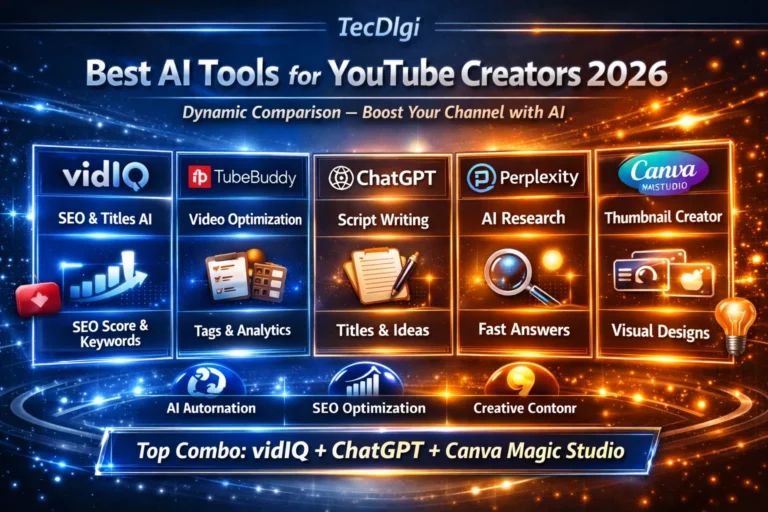
- Best AI Tools for YouTube Creators in 2026
- ChatGPT vs Claude vs Gemini 2026: Which AI Is Best?
Official Sources Checked
www.tecdigi.net