Best New AI Tools in 2026: 15 Worth Trying Right Now
AI tools are changing faster than ever in 2026. The biggest shift is no longer just better chatbots. New AI products are increasingly designed to take actions, work across applications, build software, create media, and handle longer multi-step workflows.
If you are looking for the best new AI tools in 2026, the most interesting releases are not necessarily the tools with the most features. The better question is whether a new AI tool can solve a real problem more effectively than the tools you already use.
Best New AI Tools in 2026 at a Glance
| AI tool | Best for | What makes it interesting |
|---|---|---|
| OpenAI Dots | Autonomous work | Always-on AI agents that can work toward goals |
| Microsoft Copilot Autopilot | Work automation | Persistent agent for ongoing tasks |
| Google Gemini Spark | Personal productivity | AI agent connected to Google’s ecosystem |
| Claude Code Mods | Developers | Customizing Claude Code workflows |
| Claude Fable 5.1 | Coding and knowledge work | Long-running professional and research tasks |
| Microsoft Copilot Code | Building solutions | Create applications and automations with natural language |
| GPT-6.1 Sol | Coding and professional work | High-end capability with lower operating cost |
| Claude Opus 5.5 | Complex work | High-end reasoning, coding and professional tasks |
| Claude Sonnet 5.5 | Everyday professional work | Fast and efficient professional AI |
| Google Pics | Image creation | AI image generation and editing |
| Google Sheets Canvas | Data workflows | Turns spreadsheet ideas into interactive mini-apps |
| Lovable | AI app building | Creates working web applications from prompts |
| Base44 | No-code app creation | Builds functional apps with backend and deployment |
| AI video creation tools | Content production | Faster video generation and editing workflows |
| AI research workflows | Research | Multi-step search, comparison and synthesis |
What Makes a New AI Tool Worth Trying?
A new AI tool is not automatically useful simply because it was released in 2026.
A tool is worth testing when it does at least one of these things well:
- saves significant time on a recurring task
- performs actions instead of only generating text
- connects information from multiple applications
- handles longer, multi-step workflows
- creates something you would otherwise need another application to produce
- reduces the technical knowledge required to build software
- offers a meaningful improvement over an existing tool
- gives you better control over a workflow
This distinction matters because the AI market is full of products that look impressive in demonstrations but provide little practical value once the novelty wears off.

1. OpenAI Dots — For Always-On AI Agents
OpenAI Dots are one of the clearest examples of how AI tools are changing in 2026.
Instead of waiting for a prompt every time you need something, a dot is designed to work toward ongoing goals. OpenAI describes Dots as always-on agents with their own cloud computer and browser that can work toward tasks continuously.
They can also connect to applications through OpenAI’s plugin ecosystem and can be reached through ChatGPT, Slack and Teams.
What can OpenAI Dots do?
- monitor information
- follow up on projects
- research topics
- handle repetitive business tasks
- investigate issues
- work across connected applications
- continue multi-step projects without constant instructions
The important difference is the delegation model. Instead of asking an AI a question and receiving an answer, you can give an agent a responsibility.
The main limitation
Autonomous AI requires more trust than ordinary chat.
You should review important actions, especially when an agent can access accounts, communicate with other people or make consequential changes.
2. Microsoft Copilot Autopilot — For Persistent Workflows
Microsoft’s new Copilot experience introduced Home, Code and Autopilot in September 2026.
Autopilot is designed as a persistent and proactive agent that can continue working even when you are not actively interacting with it.
Why Copilot Autopilot matters
The idea is particularly relevant for people who already work inside Microsoft’s ecosystem.
- ongoing work follow-up
- task delegation
- information gathering
- workflow automation
- managing work that spans Microsoft applications
Microsoft is rolling these capabilities out gradually, so availability may depend on your account, region and rollout stage.
3. Google Gemini Spark — For Personal AI Assistance
Gemini Spark is Google’s personal AI agent designed to help users navigate digital tasks and act on their behalf under their direction.
The appeal is Google’s ecosystem. Instead of treating email, documents, browsing and photos as completely separate environments, Gemini can increasingly connect information and actions between them.
Google says Gemini Spark can handle tasks such as web errands, editing photos and curating albums, with availability depending on plan and region.
Who should try it?
Gemini Spark is particularly interesting for users who already work heavily across Gmail, Docs, Drive, Chrome and other Google services.

4. Claude Code Mods — For Developers Who Want More Control
Claude Code Mods are designed to customize how Claude Code behaves.
Anthropic introduced Mods as small TypeScript functions that can change Claude Code’s behavior and interface.
Why developers may care
- development workflows
- repeated coding operations
- custom interfaces
- project-specific behavior
- specialized development tasks
Security matters
Anthropic says Mods run with the same access as Claude Code and are not sandboxed. Developers should therefore only install Mods from sources they trust.
5. Claude Fable 5.1 — For Coding and Knowledge Work
Claude Fable 5.1 is one of Anthropic’s major 2026 releases for coding and knowledge work.
Fable 5.1 is designed for demanding coding, professional work and research tasks. It is particularly relevant to workflows that require sustained context and multiple stages.
Where Fable 5.1 stands out
- software development
- technical analysis
- research
- professional writing
- long-running agentic work
- complex knowledge tasks
The important development is not simply that the model produces better answers. It is increasingly able to participate in workflows that involve multiple stages and require sustained context.
6. Microsoft Copilot Code — For Building Small AI-Powered Solutions
Microsoft Copilot Code is another interesting part of the September 2026 Copilot update.
Microsoft describes Code as a way for users to build applications and automations with natural language. It uses technology related to GitHub Copilot while targeting a broader group of users, including people who are not traditional developers.
What could you build?
- internal tools
- workflow automation
- small business applications
- prototypes
- data utilities
- custom organizational solutions
The goal is increasingly to let users describe the solution they want and have AI help construct the working application.
7. GPT-6.1 Sol — For Coding and Professional Work
GPT-6.1 Sol is designed for demanding agentic coding, computer use and professional workflows while targeting a lower operating cost than OpenAI’s highest-end model.
It is particularly relevant when an AI workflow needs coding, computer use, professional analysis or longer agentic workflows.
For developers building AI-powered applications, the combination of capability and cost can be more important than simply choosing the most powerful available model.
8. Claude Opus 5.5 — For Complex Professional Work
Claude Opus 5.5 is aimed at difficult work where careful reasoning and strong performance matter.
It makes the most sense for demanding tasks such as:
- complex coding
- large-scale software work
- professional analysis
- difficult reasoning tasks
- long-running agent workflows
It is not necessarily the best choice for every simple question. For routine work, a faster and cheaper model may be more practical.
9. Claude Sonnet 5.5 — For Everyday Professional AI
Claude Sonnet 5.5 is the efficiency-focused member of Anthropic’s Claude 5.5 family.
It is relevant for everyday professional tasks such as:
- document creation
- coding
- bug fixing
- slides
- spreadsheets
- design-related work
The broader lesson is that AI model selection is becoming more about matching capability to workload rather than finding one model that does everything.
10. Google Pics — For AI Image Creation and Editing
Google Pics is a newer AI image creation and editing capability introduced in Google Workspace.
Google says users can generate and refine custom graphics with text prompts, isolate objects, edit text inside images and translate words directly within images.
Who should try Google Pics?
- social media graphics
- presentations
- marketing visuals
- illustrations
- quick image editing
- business content
11. Google Sheets Canvas — For Turning Data Into Mini-Apps
Google Sheets canvas can turn spreadsheet data and ideas into custom interactive mini-apps using a simple prompt.
Potential uses include:
- internal dashboards
- small data utilities
- interactive workflows
- custom business tools
- data-driven prototypes
For non-developers, this is another example of AI lowering the barrier between an idea and a working software experience.
12. Lovable — For Building Web Apps From Prompts
Lovable is an AI app-building platform designed to turn natural-language instructions into working applications.
Examples include:
- dashboards
- internal tools
- customer portals
- SaaS products
- forms
- workflow applications
- mobile-first web apps
The main attraction is that you can start by describing what you want rather than manually creating the application structure.
13. Base44 — For No-Code AI App Creation
Base44 takes a similar idea from another direction: describe an application and let AI generate the working product.
Its platform can generate application interfaces, backend logic, authentication, permissions, integrations and deployment.
Why Base44 is worth watching
- interface generation
- databases
- business logic
- authentication
- workflows
- deployment
Base44 is particularly interesting for entrepreneurs, freelancers and small businesses that need custom internal software without starting with a traditional development project.

14. AI Video Creation Tools — For Faster Content Production
AI video creation remains one of the fastest-moving areas of generative AI.
The newest generation of tools can assist with scripts, voice generation, visuals, editing, captions, scene creation and social-media formats.
For creators, the biggest opportunity is not necessarily generating an entire video with one click. The more practical advantage is reducing the time required for individual production steps.
See our guide to the best AI video generators in 2026 and our guide to the best free AI video generators in 2026.
15. AI Research Workflows — For Multi-Step Research
Another major trend in 2026 is the move from AI answers toward AI research workflows.
Research-oriented AI systems can help with a longer process:
- define the research question
- search for relevant information
- compare sources
- identify gaps or contradictions
- organize findings
- produce a structured report
This is especially useful for professionals, students, marketers and researchers.
However, research agents should not be treated as automatically authoritative. Important claims still need source verification.
Which New AI Tools Should You Try First?
If you want an AI that can work autonomously
Start with OpenAI Dots or Microsoft Copilot Autopilot. These are interesting choices if your goal is to delegate ongoing work rather than simply ask questions.
If you live inside Google’s ecosystem
Try Gemini Spark, Google Pics and Sheets canvas. The combination becomes more useful when your work already happens across Gmail, Docs, Drive, Sheets and Chrome.
If you are a developer
Look at Claude Code Mods, Claude Fable 5.1, GPT-6.1 Sol, Claude Opus 5.5 and Claude Sonnet 5.5. The right choice depends on whether you prioritize customization, coding capability, reasoning, speed or operating cost.
If you want to build an application without traditional development
Try Lovable or Base44. Both are part of the growing category of AI app builders that turn natural-language instructions into functional software.
If you create content
AI video and image tools can reduce production time. For YouTube workflows, see our best AI tools for YouTube creators in 2026.
For social media workflows, see our best AI tools for social media marketing in 2026.
Are New AI Tools Better Than ChatGPT?
Not automatically.
A specialized AI tool can be better than a general chatbot for a specific workflow, but that does not mean it is better overall.
- an autonomous agent may be better for ongoing tasks
- an AI app builder may be better for creating software
- a coding model may be better for a large development project
- an image tool may be better for visual editing
- a research workflow may be better for source-heavy investigations
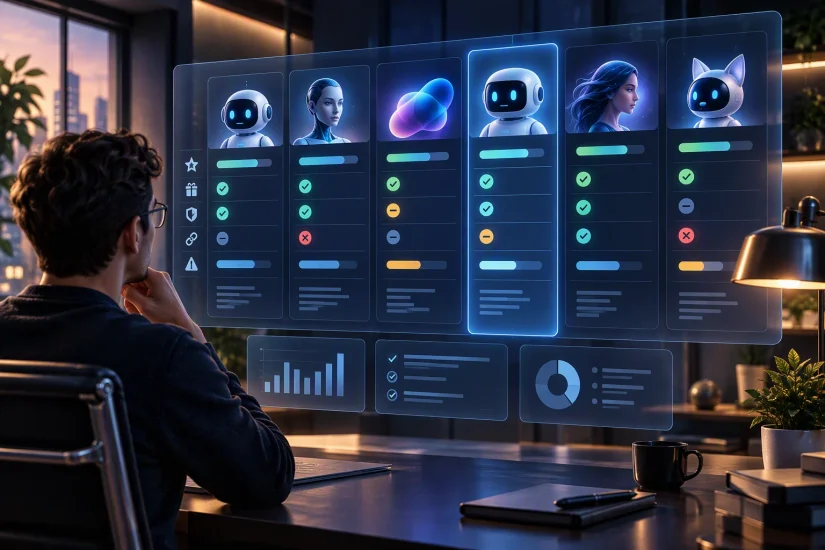
The best approach is to compare the tool against the task you actually need to complete.
If you are comparing general AI assistants, see our ChatGPT vs Claude vs Gemini comparison.
How to Evaluate a New AI Tool Before Using It
1. What problem does it solve?
If you cannot describe the problem in one sentence, you may not need the tool.
2. Does it actually save time?
A five-minute AI demonstration is not the same thing as a useful daily workflow. Test the tool on a real task.
3. What does it cost?
Check usage limits, AI credits, API costs, premium features, storage, export restrictions and team pricing.
4. What data does it need?
This becomes especially important with autonomous agents. Understand what the tool can access before connecting email, documents, accounts or business systems.
5. Can you leave easily?
Avoid becoming dependent on a tool that makes exporting your work difficult. Whenever possible, prefer services that let you export your content, data or code.
Should You Use Several AI Tools or Just One?
For most people, a small AI stack is better than dozens of subscriptions.
A practical setup could contain:
- one general AI assistant
- one specialized research or writing tool
- one image or video tool if you create media
- one coding or app-building tool if you develop software
The goal is not to collect AI tools. The goal is to build a workflow in which each tool has a clear job.
What AI Tools Should You Avoid?
Be careful with AI products that make extraordinary claims without showing how their technology works.
- no clear company information
- unclear privacy policies
- fake-looking testimonials
- copied product descriptions
- aggressive subscription tactics
- impossible performance claims
- no meaningful documentation
- unexplained access requirements
- tools asking for sensitive credentials unnecessarily
New AI products can disappear quickly, so avoid building an important business process around an unproven service without an alternative.
The Future of AI Tools in 2026
The biggest trend in AI tools is moving from generation to action.
Earlier AI products were primarily designed to generate text, images, code, audio and video.
The newer generation increasingly tries to do things.
AI agents can monitor information, interact with applications, build software, perform research and continue working through multiple steps.
At the same time, AI app builders are making software development more accessible, while AI models are becoming better at long-running professional tasks.
The result is a shift from asking AI for an answer toward giving AI a goal and letting it help complete the work.
That does not eliminate the need for human judgment. In many cases, it makes supervision, permissions and verification even more important.
Frequently Asked Questions
What are the best new AI tools in 2026?
Some of the most interesting new AI tools and capabilities in 2026 include OpenAI Dots, Microsoft Copilot Autopilot, Gemini Spark, Claude Code Mods, Claude Fable 5.1, GPT-6.1 Sol, Claude Opus 5.5, Claude Sonnet 5.5, Google Pics and AI app builders such as Lovable and Base44.
What is the most important AI trend in 2026?
The biggest trend is the move from AI that generates content to AI that can complete multi-step tasks and work more autonomously.
Are AI agents better than chatbots?
They can be better for ongoing workflows because they can take actions and continue working through multiple steps. However, they also introduce additional risks around permissions, accuracy and oversight.
Are new AI tools free?
Some have free plans or trials, while others require paid subscriptions or usage-based pricing. Availability and limits can change quickly, so check current pricing before committing to a workflow.
What is the best AI tool for developers in 2026?
There is no single winner for every developer. Claude Fable 5.1, Claude Opus 5.5, Claude Sonnet 5.5, GPT-6.1 Sol and specialized coding tools can each make sense depending on the project and budget.
Can AI build a complete application?
Increasingly, yes. AI app builders such as Lovable and Base44 can generate interfaces, logic, data structures and other components of working web applications. Complex production software still requires testing, security review and human oversight.
Should I trust an AI agent with important tasks?
Only with appropriate safeguards. Start with low-risk tasks, restrict permissions, review important actions and avoid giving an agent unnecessary access to sensitive information.
Final Verdict
The best new AI tools in 2026 are not necessarily the ones with the most impressive demos.
The most valuable tools are the ones that remove real work from your workflow.
OpenAI Dots and Microsoft Copilot Autopilot are especially interesting for autonomous work. Gemini Spark is worth watching if you already live in Google’s ecosystem. Claude Fable 5.1, Opus 5.5, Sonnet 5.5 and GPT-6.1 Sol show how quickly AI is evolving for professional and coding work.
Meanwhile, Google Pics, Sheets canvas, Lovable and Base44 show another important direction: AI is increasingly helping people create software and digital content rather than simply answer questions.
The best strategy is simple: choose the tool that solves a real problem, test it with a real workflow, check its limitations and keep human oversight where the consequences matter.