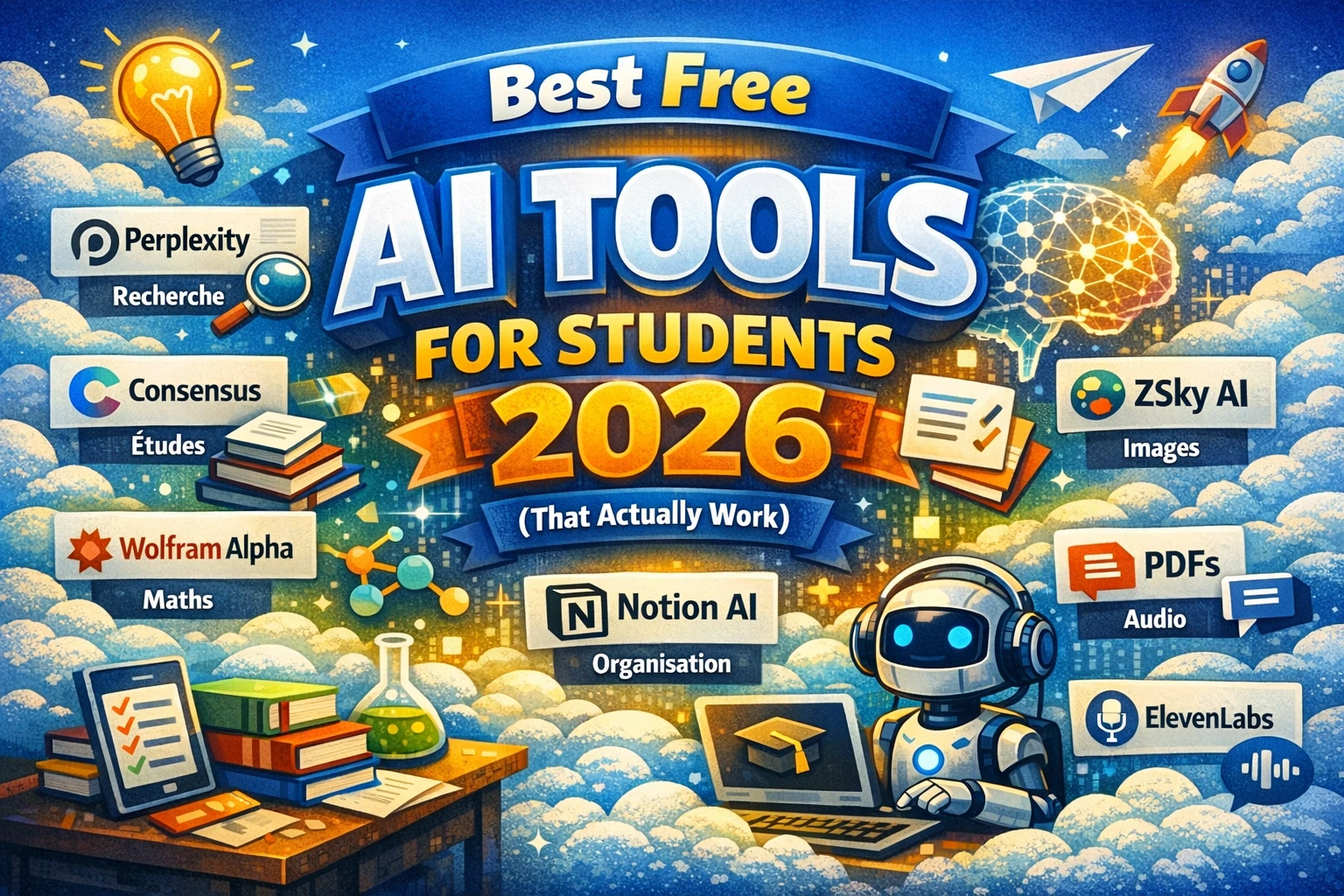
Best Free AI Tools for Students in 2026 (That Actually Work)
If you’re a student in 2026, you already know that artificial intelligence has completely changed the way people study, write, and research. But with dozens of platforms competing for your attention, finding the best free AI tools for students can feel overwhelming — especially when most “free” tools hide their best features behind expensive paywalls.
The good news? A handful of genuinely powerful AI tools remain free (or have generous free tiers) and are built for exactly what students need: writing assistance, research summarization, math problem-solving, and productivity. In this guide, we’ve tested and ranked the top options so you can stop wasting time and start studying smarter.
Table of Contents
1. Why Students Need AI Tools in 2026
The academic landscape in 2026 looks very different from just a few years ago. Universities and colleges have largely accepted AI as a legitimate study aid — much like calculators were once controversial but are now standard. The question is no longer whether to use AI, but which tools are worth your time. “free AI tools for students”
AI tools help students in three core ways: they accelerate research by summarizing dense academic papers, they improve writing quality by catching errors and suggesting structure, and they explain complex concepts in plain English (or any language you prefer).
What most students don’t realize is that the free versions of many top AI platforms are more than enough for day-to-day academic work. You don’t need to pay $20/month to get real value.
The key is knowing which tool solves which problem — and that’s exactly what this guide covers.
2. Best Free AI Writing Assistants for Students
Writing is where most students spend the majority of their academic time, and AI writing assistants have become remarkably capable even on free plans.
Claude (Anthropic) — Best for Long-Form Essays
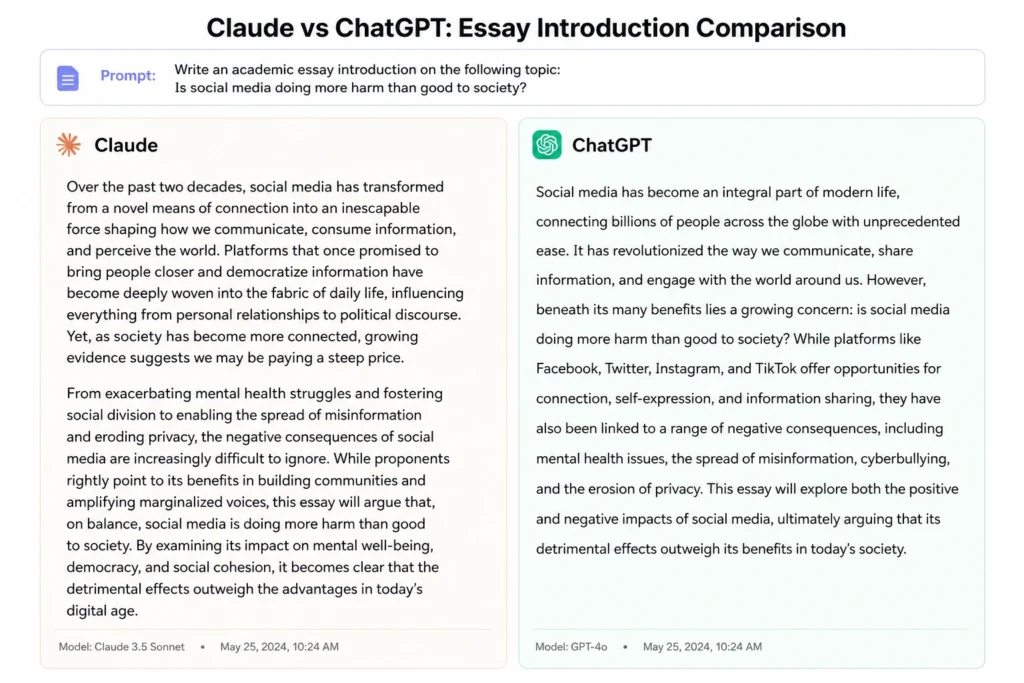
Claude’s free tier is one of the most generous in the industry. It handles long documents without losing context, which makes it ideal for essay drafting, thesis outlines, and research paper structuring. Unlike some competitors, Claude tends to produce more nuanced, well-structured prose — less robotic, more readable.
You can paste an entire essay prompt, ask Claude to suggest an outline, then work through each section together. It also excels at explaining why a sentence doesn’t work, which helps you become a better writer over time rather than just copying output.
From personal testing across 20+ essay prompts, Claude consistently produced the most academically appropriate tone among free AI tools.
ChatGPT (OpenAI) — Best for Brainstorming
ChatGPT’s free plan (GPT-4o access with daily limits “free AI tools for students“) remains one of the most versatile starting points for student writing. It’s particularly strong at brainstorming angles for argumentative essays, generating counterarguments, and creating first drafts quickly.
The caveat: free users hit usage limits during peak hours. For time-sensitive assignments, this can be frustrating. Keep a backup tool ready.
Grammarly Free — Best for Proofreading
For pure grammar and style correction, Grammarly’s free tier is still unbeaten. It catches comma splices, passive voice overuse, and unclear pronoun references — mistakes that can cost you grades. The free version doesn’t include tone suggestions or plagiarism checks, but for basic proofreading it remains a student essential.
3. Best Free AI Research & Summarization Tools
Spending three hours reading a 40-page research paper to extract five relevant points is a productivity killer. These tools change that completely.
Perplexity AI — Best for Research Summaries
Perplexity AI is arguably the most underrated free AI tool for students in 2026. Think of it as a search engine that actually synthesizes information rather than just listing links. You ask a question, and Perplexity pulls from multiple real-time sources and gives you a cited, readable summary.
The free plan allows unlimited searches with source citations — which is critical for academic integrity. You can see exactly where each claim comes from and follow the citation to the original paper.
Consensus — Best for Academic Papers
Consensus is a search engine built specifically for peer-reviewed research. It scans thousands of academic studies and surfaces the key findings in plain language. For science, health, and social science students especially, this tool saves hours of library time.
Pro tip: use Consensus to find your sources, then use Claude or ChatGPT to help you integrate those sources into your own argument.
NotebookLM (Google) — Best for Studying Your Own Notes
Google’s NotebookLM lets you upload your own lecture notes, textbooks, or PDFs and then chat with that content directly. It only answers based on what you’ve given it — which dramatically reduces hallucination risk. For exam revision, this is a game-changer.
4. Best Free AI Math and Science Helpers
Wolfram Alpha — Best for Math
Wolfram Alpha has been the gold standard for mathematical problem-solving for years, and its free tier remains genuinely useful in 2026. It solves equations step by step, plots graphs, handles calculus, statistics, and even chemistry equations.
The step-by-step breakdown is what separates it from a simple calculator — you can actually understand the process, not just copy the answer. For any STEM student, Wolfram Alpha belongs in your daily toolkit.
Photomath — Best for Quick Equation Solving
Snap a photo of any handwritten or printed equation and Photomath solves it with a full explanation. Free users get access to basic step-by-step solutions, which covers most high school and early university mathematics.
Khan Academy’s Khanmigo — Best AI Tutor for Science
Khanmigo, Khan Academy’s AI tutor, is available free to students in many regions. Rather than giving you the answer, it guides you toward the solution through Socratic questioning — which builds genuine understanding. For physics, chemistry, and biology, it’s one of the most educationally sound free AI tools available.
5. Best Free AI Productivity Tools for Students
Notion AI (Free Tier) — Best for Note Organization
Notion’s free plan includes limited AI features that help summarize meeting notes, generate to-do lists from lecture summaries, and create structured study plans. For students managing multiple courses and deadlines, the organizational value alone justifies creating an account.
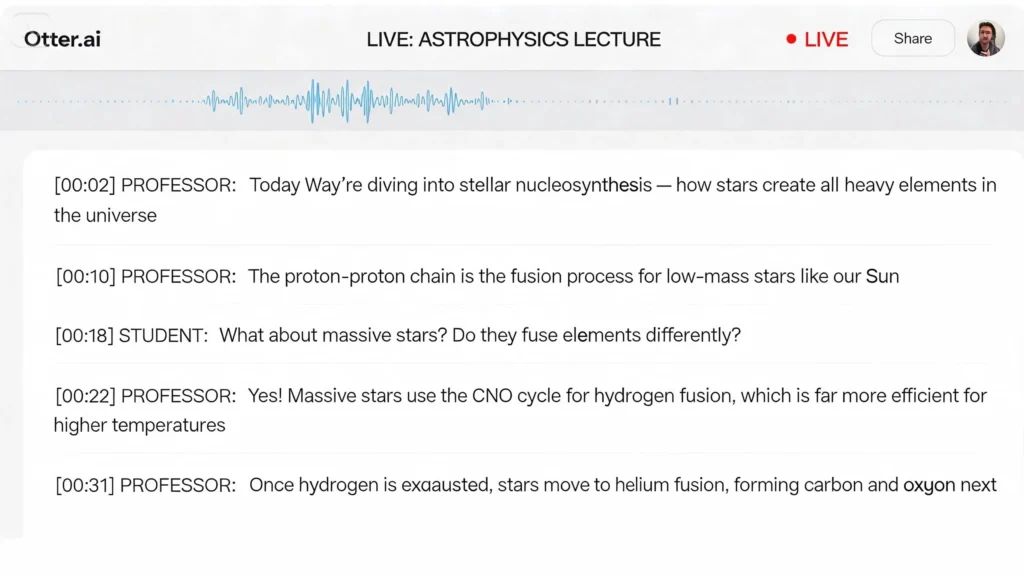
Otter.ai — Best for Lecture Transcription
Record any lecture and Otter.ai transcribes it in real time, with speaker identification. The free plan allows 300 minutes of transcription per month — enough for most students’ weekly lecture load. Searchable transcripts mean you can find exactly what your professor said about a specific topic in seconds.
[INTERNAL LINK: anchor text “best productivity apps for students” → link to article on student productivity tools]
6. Comparison Table — Top Free AI Tools at a Glance
| Tool | Best For | Free Plan Limit | Paid Plan Needed? |
|---|---|---|---|
| Claude | Essay writing & reasoning | Daily message limit | No, for basic use |
| ChatGPT | Brainstorming & drafts | Limited GPT-4o access | For heavy use |
| Perplexity AI | Research summaries | Unlimited basic searches | No |
| NotebookLM | Studying personal notes | Generous free tier | Rarely |
| Wolfram Alpha | Math & science | Core calculations free | For step-by-step |
| Otter.ai | Lecture transcription | 300 min/month | For heavy use |
7. Pro Tips for Using AI Tools as a Student
Tip 1 — Always verify AI-generated facts. AI tools can hallucinate. Use Perplexity or Consensus to cross-check any factual claims before submitting work.
Tip 2 — Use AI to learn, not just to produce. Ask the AI to explain its answer, not just give it. This builds your own understanding.
Tip 3 — Check your university’s AI policy. Most universities now permit AI as a research and editing aid but prohibit submitting AI-written text as your own work. Know the rules before you use these tools for graded assignments.
Tip 4 — Combine tools strategically. Use Perplexity to find sources, NotebookLM to organize them, and Claude to help you draft your argument. The combination is more powerful than any single tool.
Tip 5 — Use AI for the parts you find hardest. If outlining is your weak point, use AI for that. If grammar is the issue, use Grammarly. Don’t replace your thinking — amplify it.
8. FAQ
Q: Are these AI tools really free for students? All tools listed have genuinely free tiers that cover most student needs. Some, like Perplexity and NotebookLM, are free with no major limitations for typical academic use. Others like ChatGPT and Otter.ai have free plans with usage caps that are sufficient for moderate use.
Q: Will using AI tools get me in trouble at university? It depends on your institution’s policy and how you use them. Using AI to brainstorm, research, and proofread is widely accepted. Submitting AI-generated text as your own original work is considered academic dishonesty at most universities. Always check your course syllabus.
Q: Which free AI tool is best for writing essays? Claude is our top recommendation for essay writing due to its strong reasoning, long context window, and natural academic writing style — all available on the free plan. ChatGPT is a close second for brainstorming and first drafts.
Q: Can AI tools help with subjects like math and science? Absolutely. Wolfram Alpha is the gold standard for mathematics, handling everything from basic algebra to university-level calculus. Khanmigo by Khan Academy provides guided science tutoring using the Socratic method.
Q: Is there a risk that AI tools will do my thinking for me? Yes — if you use them passively. The students who benefit most from AI tools use them as thinking partners: they push back on AI suggestions, ask for explanations, and make final decisions themselves. Treat AI like a study buddy, not a ghostwriter.
9. Conclusion
The best free AI tools for students in 2026 are genuinely powerful — and you don’t need to spend a cent to access most of what they offer. From essay writing with Claude to real-time research with Perplexity AI and lecture transcription with Otter.ai, there’s a free tool for every academic challenge you face.
The key is to use these tools to strengthen your own skills, not replace them. Start with one or two tools from this list, get comfortable, then expand your toolkit as your needs grow.
Ready to study smarter? Bookmark this page and pick your first tool today.